 TanXinandTanXin
04dbf196c3
## 发布概述

发布 CloudSSH v1.6.2,重点修复移动端终端文本无法可靠选择和复制的问题,同时完善 Windows
环境下赛博朋克主题的原生下拉列表样式,并同步更新项目文档。

## 主要变化

### 移动端终端复制

- 为移动端增加明确的终端文本选择模式。
- 没有选区时点击“复制”按钮进入选择模式,拖动选择终端文本后再次点击即可复制。
- 复制成功后自动清除选区并退出选择模式。
- 切换终端标签、离开终端或断开连接时自动重置选择状态。
- 触摸选区继续保持显式复制,不影响桌面端鼠标选区自动复制逻辑。
- 完善旧版剪贴板回退路径的文本选中、异常清理和焦点恢复。

### Windows 主题兼容

- 修复 Windows Chromium 下赛博朋克主题原生下拉列表仍显示白色背景的问题。
- 下拉选项和选项分组的背景色、文字颜色现在会跟随当前主题变量。
- 保留原生下拉框的键盘操作和无障碍能力。

### 文档与版本

- 精简中文 README 中重复或过细的内容。
- 同步调整英文 README,保持中英文功能、部署和维护说明一致。
- 更新 `package.json` 版本号至 `1.6.2`。
- 按 Keep a Changelog 规范补充 v1.6.2 更新日志。

## 用户体验影响

- 移动端用户可以稳定地选择并复制终端文本。
- 剪贴板 API 受限或不可用时,复制失败反馈和回退行为更加可靠。
- Windows 深色主题下的原生下拉列表不再出现突兀的白色背景。
- 桌面端终端复制、SSH、SFTP 和 AI 助手现有行为不受影响。

## 兼容性

- 不涉及后端 API、数据库结构或 Durable Object 迁移。
- 不改变 SSH、SFTP 和 WebSocket 通信协议。
- 不改变用户配置及已保存服务器数据。
- 现有主题和自定义 Theme V2 配置保持兼容。

## 验证

- `pnpm run verify`
- Worker 与前端 TypeScript 类型检查通过
- 33 个测试文件、495 项单元与集成测试通过
- 生产前端构建通过
- 31 项 Chromium E2E 与无障碍回归测试通过

---------

Co-authored-by: TanXin <tanxin@example.com>

A Serverless Web SSH Terminal built on Cloudflare Workers: Connect and manage your servers directly from the browser.
Ultra-lightweight · Out-of-the-box · Cyberpunk UI


Highlights · Features · Deployment · Architecture · Changelog · Contributors · License
Tip
CloudSSH utilizes Cloudflare Workers' TCP Sockets support to handle SSH protocol parsing and forwarding at edge nodes, providing a low-latency Web Terminal experience.
Demo
Imagine opening your browser anytime, anywhere, and connecting to your server with a highly futuristic cyberpunk UI, without installing any SSH client.
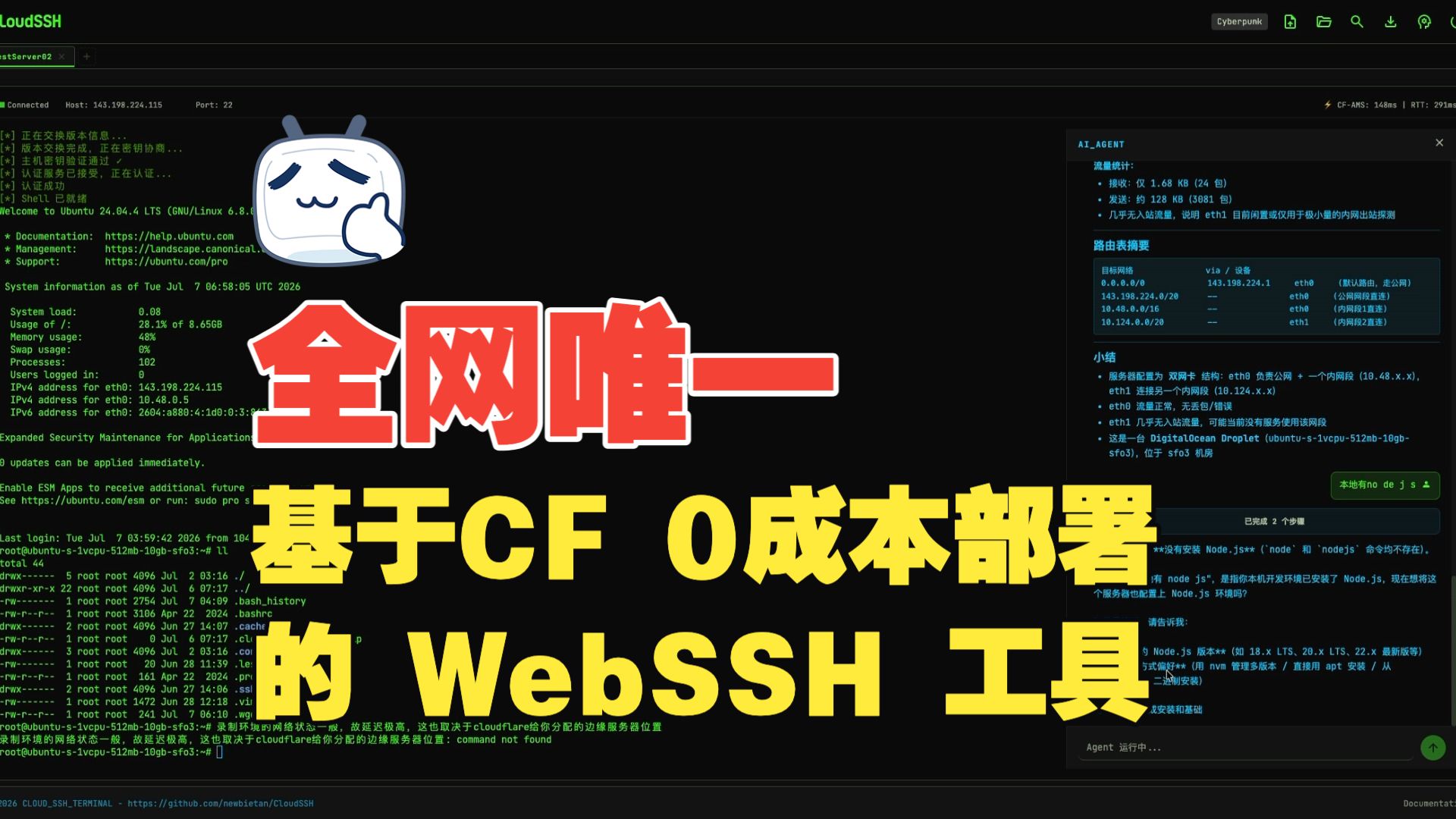

Video duration 8:27 · Full CloudSSH walkthrough
Table of Contents
Highlights
Ultimate Serverless
- Zero Server Cost: Pure frontend deployment + Cloudflare Workers, no need to build your own backend servers.
- Edge Acceleration: Benefit from Cloudflare's global edge network, enjoying low-latency SSH connections from anywhere.
Out of the Box
- One-Click Deployment: Simply fork this repository, then complete the project build and deployment with a few clicks in the Cloudflare Dashboard.
- Modern Frontend Stack: TypeScript + Vite + Tailwind CSS, paired with xterm.js to provide a silky smooth terminal experience.
Secure and Reliable
- Encrypted Transport in Two Segments: The browser-to-Cloudflare Worker segment uses HTTPS/WSS, while the Worker-to-target-host segment uses the complete SSH-2.0 protocol. The SSH segment supports Curve25519-SHA256 (preferred) and ECDH-NISTP256 key exchange, AES-256-GCM (preferred) / AES-128-GCM / AES-256-CTR encryption, and HMAC-SHA2-256/512 integrity verification.
- Multi-Algorithm Host Key Verification: Supports Ed25519, ECDSA P-256/P-384/P-521, and RSA signature verification, with SHA-256 fingerprint display on first connection (TOFU mode).
- Security Hardening: Built-in SSRF protection against IPv6 and reserved addresses.
/api/sshuses a bounded, per-Worker-isolate in-memory limiter for traffic shedding, while connection authorization remains the responsibility of Turnstile or one-time connection tokens. Saved server credentials are encrypted with AES-256-GCM in per-user Durable Object SQLite storage. - Human Verification: Supports Cloudflare Turnstile verification to prevent malicious bot abuse.
- Isolated Session State: Each SSH terminal session is managed by an independent Cloudflare Durable Object. Browser WebSockets use the Hibernation API entry pattern, but an active outbound SSH TCP connection keeps the Durable Object awake for the duration of the session.
- Internal Flow for Saved Credentials: When connecting to a saved server, UserDBDO decrypts the credential on the server side and passes it internally to SSHSessionDO through a one-time connection token; the browser never receives the plaintext credential. Anonymous connections and the initial save still send user input to the Worker over HTTPS/WSS.
Features
- Pure TypeScript SSH-2.0 Implementation: Fully self-developed SSH protocol stack, with no dependency on any third-party SSH libraries, implementing all cryptographic operations based on Web Crypto API.
- Multi-Algorithm Key Exchange: Supports Curve25519-SHA256 (preferred) and ECDH-NISTP256 KEX algorithms, compatible with various SSH servers (including Dropbear).
- IPv4/IPv6 Dual Stack: Full support for both IPv4 and IPv6 address connections, including automatic handling of IPv6 bracket notation.
- Multiple Auth Methods: Supports standard SSH password authentication and OpenSSH-format Ed25519, ECDSA P-256/P-384/P-521, and RSA private keys. RSA uses RSA-SHA2-256/512 by default; legacy
ssh-rsaSHA-1 is allowed only through explicit compatibility configuration. - MitM Protection (TOFU): Automatically extracts and prints the server's Host Key (SHA-256 fingerprint) on the first connection, supporting Ed25519/ECDSA/RSA signature verification, and caches known host keys locally and via API to prevent MitM on future connections.
- Geek Terminal Experience: Powered by
@xterm/xtermand the@xterm/addon-webglhardware acceleration rendering engine, ensuring silky smooth scrolling even with massive log outputs. - Reliable Terminal Clipboard Interaction: Completing a terminal selection with a mouse automatically copies it, and right-click pastes directly. On touch devices, tapping Copy in the shortcut bar enters selection mode; drag across terminal text and tap Copy again to finish, avoiding unreliable long-press selection, while Paste remains a separate action. Paste data follows xterm.js's native input pipeline, emits bracketed-paste control sequences only when the remote application enables that mode, and normalizes line endings for compatibility with Vim and regular shells.
- Mobile Terminal Support: Phones and tablets get dynamic visual-viewport sizing, soft-keyboard and safe-area handling, iOS Chinese IME compatibility, a compact action bar, one-shot Ctrl/Alt, Esc/Tab/arrows/Home/End/PgUp/PgDn shortcuts, and full-screen Agent/SFTP panels. Users may explicitly request fullscreen landscape; unsupported orientation locks fall back to a manual rotation hint without changing desktop layouts.
- Customizable UI: Theme V2 includes Standard Dark, Standard Light, Cyberpunk, Glacier, and Gruvbox. The companion GitHub Pages theme editor provides live controls for colors, shape, density, font, shadows, motion, and button/input/card/tab styles, with previews for login, server list, terminal + SFTP, and the AI Agent panel. Themes are imported, exported, backed up, and shared as JSON files. Signed-in users sync imported themes to their account for cross-browser restoration, while anonymous users keep them in the current browser only.
- SFTP Graphical File Manager: Integrated with a complete SFTP v3 file transfer protocol, providing a graphical file browser interface. Supports directory browsing, file upload/download, creating new folders, file renaming, and deletion, plus plain selection,
Cmd/Ctrltoggle selection,Shiftrange selection, select all, batch file downloads, and batch deletion. Built on the SSH subsystem, it runs alongside terminal sessions without interference and supports download queues and upload cancellation. - Native File Transfer: Integrated with trzsz.js, supporting
trz(upload) /tsz(download) commands for file transfer, fully compatible with tmux sessions. Also supports drag-and-drop file upload to the terminal, directory transfer, and resumable transfers. (Requires trzsz installed on the remote server) - GitHub OAuth Integration: Supports GitHub login, allowing users to save and manage frequently used SSH servers for one-click connections. Each server can have up to 10 normalized tags; the list supports instant search by name, host, or username, tag filtering, and pagination with 9 server cards per page.
- Automatic Server OS Detection: When a signed-in user first connects to a saved server without an OS record, CloudSSH uses a separate SSH exec channel after the terminal is ready to read
/etc/os-releaseoruname, then shows the corresponding system icon on the server card. Detection runs in the background without blocking the terminal. Only recognized results are saved; unknown results are retried naturally on the next connection, and changing the host or port clears stale results. Anonymous connections do not run this check. The read-only command may appear in the target server's SSH audit logs. - Private IP Display and Quick Copy: Valid IPv4 and IPv6 addresses are visually masked in the saved-server list and connection status bar to reduce accidental disclosure in demos or screenshots. The complete connection address remains available through mouse or keyboard copy. Hostnames remain unchanged; visual masking is not encryption or access control.
- Single-Page Multi-Tab Session: Switch between multiple independent SSH terminal and SFTP instances within a single browser tab, with isolated sandbox environments.
- Secure Connection History: Saves last 5 connection records locally. Credentials (passwords/private keys) can be client-side encrypted using locally derived AES-256-GCM keys.
- Dual-Segment Latency & Colo Display: Instantly and periodically monitor WebSocket RTT (client to CF), physical latency (CF to SSH host), and the current Cloudflare datacenter code (e.g.
CF-LAX) on the status bar, with green, yellow, and red indicators for network quality. - Smart Region Scheduling (locationHint): Queries IPinfo when a server is saved, persists the inferred Durable Object region, and reuses it on connection without another runtime geo lookup. Failures fall back to Cloudflare's default placement, and users may override the region manually. Note: automatic inference sends target-host information to the third-party IPinfo service. locationHint is a Cloudflare best-effort feature and may fall back to a nearby region when capacity is unavailable.
- In-Terminal Text Search: Real-time log search support via
Ctrl+Shift+F. - Terminal Log Export: Download the entire screen buffer of the active terminal session as a
.txtfile with a single click on the header download button, avoiding browser freezes when selecting long logs. - AI Agent Assistant: Built-in AI Agent sidebar with BYOK (Bring Your Own Key) support for OpenAI-compatible APIs (e.g., DeepSeek). Provides 8 specialized operations tools: execute commands, read terminal context, detect server environment, list processes, manage systemctl services, manage Docker containers, user confirmation, and structured report output. Selecting terminal text exposes an “Ask AI assistant” action that attaches the complete selection to the current tab's composer instead of sending it immediately. The attachment shows its source and size, can be expanded, replaced, or removed, and is sent only after the user adds a question. Terminal selections are explicitly treated as untrusted analysis data—not action authorization—and cannot override user instructions. Agent code blocks support one-click copy, while safe single-line Shell commands can be filled into the active terminal without being executed automatically. Supports LLM streaming output (character-by-character display). Dangerous commands are automatically blocked or require confirmation in a safe, reject-by-default dialog. Thinking Process Container: During multi-step tasks, displays the latest 1-2 commands in real-time, auto-collapses with total step count after completion, expands to show full execution history.
- Quality Gates: Before deploying either
testormain, GitHub Actions performs frozen-lockfile installation, Worker/frontend type checking, unit and integration tests, reproducible frontend builds, Playwright browser E2E, and axe accessibility regression. Any failure blocks deployment.
Architecture
System Architecture
flowchart TB
    subgraph "Browser Client"
        UI["Frontend UI<br/>TypeScript + xterm.js"]
        SFTP["SFTP File Manager"]
        Agent["AI Agent Assistant"]
        Trzsz["trzsz File Transfer"]
    end

    subgraph "Cloudflare Edge Network"
        Worker["Worker<br/>Routing + API"]
        SSH_DO["SSHSessionDO<br/>SSH Session Management"]
        User_DO["UserDBDO<br/>User Data Management"]
        AgentCore["AgentCore<br/>AI Control Loop"]
    end

    subgraph "Target Server"
        SSH["SSH Server<br/>(OpenSSH/Dropbear)"]
    end

    UI <-->|"WebSocket<br/>Terminal I/O"| Worker
    SFTP <-->|"WebSocket<br/>SFTP Data"| Worker
    Agent <-->|"WebSocket<br/>Agent Messages"| Worker
    Trzsz <-->|"trzsz Protocol"| UI
    Worker <-->|"WebSocket"| SSH_DO
    Worker <-->|"Internal API"| User_DO
    SSH_DO <-->|"TCP Socket<br/>@cloudflare/sockets"| SSH
    SSH_DO <-->|"Exec Channel"| AgentCore
    AgentCore <-->|"LLM API"| External["External LLM Service"]
Core Components
| Component | File | Responsibility |
|---|---|---|
| Worker Entry | src/worker/index.ts |
HTTP routing, API handling, WebSocket upgrade |
| SSHSessionDO | src/worker/durable-object.ts |
SSH session lifecycle management, SSRF protection |
| UserDBDO | src/worker/user-db.ts |
Per-GitHub-user data, sessions, server configs, normalized tags, and encrypted credentials (SQLite) |
| IP Geo Inference | src/worker/ip-geo.ts |
Infers target IP region at save time, maps to Cloudflare DO locationHint |
| OS Detection | src/worker/os-detect.ts |
Parses remote system identity and normalizes persistable OS keys |
| SSHSession | src/worker/ssh-session.ts |
SSH protocol state machine (connect→version→kex→auth→interactive) |
| SSH Protocol Stack | src/ssh/*.ts |
Pure TypeScript SSH-2.0 implementation (transport, crypto, auth, channels) |
| SFTP Handler | src/worker/sftp-handler.ts |
SFTP protocol operations, task queue, concurrent downloads, upload tracking and cancellation |
| SFTP Protocol | src/ssh/sftp.ts / sftp-types.ts |
SFTP v3 protocol client, packet parsing and type definitions |
| Frontend Terminal | frontend/src/terminal.ts |
xterm.js wrapper, native right-click paste, dynamic RTT heartbeats, three-color network quality indicators, terminal search, selection-to-Agent actions, and WebSocket management |
| Mobile Controller | frontend/src/mobile-terminal.ts / mobile-input.ts |
Dynamic viewport sizing, iOS IME fallback, touch shortcuts, clipboard actions, and optional fullscreen landscape |
| Tab Manager | frontend/src/tab-manager.ts |
Single-page coordinator for isolated terminal, SFTP, Agent, and pending-context state in each session tab, including copyable masked-IP display |
| Server List | frontend/src/server-list.ts |
Server-card management, search, tag filtering, private IP display, and pagination with 9 items per page |
| Host Display | frontend/src/host-display.ts |
Validates IPv4/IPv6 literals and produces consistent privacy-masked display text |
| SFTP Panel | frontend/src/sftp-panel.ts |
Graphical file manager UI with multi-selection, batch download/delete, transfer queues, and cancellation |
| AI Agent | src/worker/agent/core.ts |
AI control loop: LLM streaming calls, tool execution, environment detection, terminal context reading |
| Agent Tools | src/worker/agent/tools.ts |
8 operations tools (execute command, terminal context, environment detection, process list, service management, Docker management, user confirmation, report output) |
| Agent Safety | src/worker/agent/safety.ts |
Two-layer security: direct blocking (rm -rf /, fork bomb, etc.) + confirmation prompts (rm, shutdown, iptables, etc.) |
| Agent Panel | frontend/src/agent/agent-panel.ts |
AI assistant sidebar UI with terminal-selection attachments, streaming output, Markdown rendering, code-block copy and safe terminal fill, collapsible thinking process, and safe confirmation dialogs |
| Agent Selection Context | frontend/src/agent/terminal-selection-context.ts |
Preserves terminal-selection snapshots and composes user questions with an explicit untrusted-data boundary |
| AI Config | frontend/src/ai-config.ts |
AI model configuration modal for Base URL / API Key / model selection |
| Region Options | frontend/src/regions.ts |
Shared DO locationHint region options component for server management and anonymous connection forms |
SSH Protocol Implementation
This project implements a complete SSH-2.0 protocol stack:
| Layer | Implementation | Supported Algorithms |
|---|---|---|
| Key Exchange | kex-curve25519.ts / kex-ecdh.ts |
curve25519-sha256, ecdh-sha2-nistp256 |
| Data Encryption | crypto.ts |
aes256-gcm, aes128-gcm, aes256-ctr, aes192-ctr, aes128-ctr |
| Integrity | crypto.ts |
hmac-sha2-256, hmac-sha2-512, hmac-sha1 |
| Host Keys | ssh-session.ts |
Ed25519, ECDSA P-256/P-384/P-521, RSA |
| User Auth | auth.ts |
Password; Ed25519, ECDSA P-256/P-384/P-521, and RSA-SHA2 private-key authentication |
| Channel Management | channel.ts |
Session channel, SFTP subsystem, PTY, shell, window-change |
| SFTP Protocol | sftp.ts / sftp-types.ts |
SFTP v3 file transfer protocol (directory browsing, upload, download, delete, rename) |
Data Flow
- The user enters the host IP, username, and password on the frontend (or selects a saved server via GitHub OAuth).
- The frontend establishes a WebSocket connection with the backend Durable Object.
- SSHSessionDO receives the credentials and establishes a TCP connection with the target SSH server using
@cloudflare/sockets. - SSHSession executes the complete SSH protocol negotiation (version exchange → key exchange → authentication → channel open → PTY → Shell).
- Terminal data travels over WSS between the browser and Worker, and over SSH between the Worker and target server; the Worker bridges the two protocol segments and processes SSH.
- SFTP file management runs on a separate SSH subsystem channel, supporting directory browsing, file upload/download, and other operations.
- For a saved server without an OS record, SSHSession performs one read-only system check through a separate exec channel after the Shell is ready. Recognized results are stored in UserDBDO and sent to the frontend; unknown results are not stored.
- The AI Agent receives the user question and optional terminal-selection context via WebSocket. The selection is marked as untrusted analysis data before AgentCore calls the external LLM API, executes approved commands through SSH exec channels, and streams results back to the frontend.
Quick Deployment
Prerequisites
- A Cloudflare account.
- Cloudflare Workers Free Plan enabled (required for TCP Sockets and Durable Objects features).
Steps
Method 1: Deploy via GitHub Integration (Recommended)

Click the button to jump to the Cloudflare console — authorize your GitHub account and deploy automatically, no local environment required
- Fork this repository to your GitHub account.
- Create Worker App: Log in to Cloudflare, go to Workers & Pages, click Create Application, connect your GitHub account, and select the forked repository.
- Build Command: During deployment settings, enter
pnpm run build:frontendas the Build command, then save and deploy. - Access the App: After successful deployment, access via the default domain
https://cloudssh.<your-subdomain>.workers.dev. - Bind Custom Domain (Optional): Go to Worker Settings → Domains & Routes → Add, enter your domain and confirm.
Note
: To deploy a test environment, repeat the above steps on the
testbranch to create a separate Worker (e.g.,cloudssh-test). The Durable Objects data between both environments is completely isolated.
Optional: Automatically Sync Upstream Releases
A fork can use the built-in Sync upstream GitHub Actions workflow to periodically synchronize the latest main branch from this project into its own main branch. This feature is disabled by default. Once enabled, it checks daily at 04:20 Asia/Shanghai; branch updates created by a successful sync are automatically built and deployed by Cloudflare Git integration, so no additional deployment toggle is required.
- Make sure the Cloudflare Worker is connected to your fork, its Production branch is set to
main, and automatic builds are enabled. - Open the fork's Actions page and enable workflows. If an existing fork does not yet contain
Sync upstream, first use GitHub's Sync fork feature once to obtain the workflow. - Go to Settings → Secrets and variables → Actions → Variables and create a Repository variable:
- Name:
AUTO_SYNC_UPSTREAM - Value:
true
- Name:
- To sync immediately, open Actions → Sync upstream → Run workflow. Manual runs do not require the variable above.
Sync behavior: The workflow uses GitHub's fork synchronization API, requires no PAT, and never force-overwrites the branch. If your
mainbranch cannot be merged with upstream automatically, the job fails while preserving the existing code and the conflict must be resolved manually. Avoid editing the deploymentmainbranch directly, and keep domains, secrets, and environment variables in the Cloudflare Dashboard.
Method 2: Local CLI Deployment
-
Clone the Repository
git clone https://github.com/newbietan/CloudSSH.git cd CloudSSH -
Install Dependencies
npm install -g pnpm pnpm install cd frontend && pnpm install -
Login to Cloudflare
npx wrangler login -
Deploy Production
pnpm run deploy -
Deploy Test Environment (Optional)
pnpm run deploy:test
Note
: Both environments bind to Durable Objects with the same
class_name, but data is completely isolated due to different Worker names. After deployment, you can bind different custom domains for each environment in the Cloudflare Dashboard (Settings → Domains & Routes).
Optional: Configure Turnstile Human Verification
To prevent malicious bot abuse, it is recommended to enable Cloudflare Turnstile verification:
- Create Turnstile Widget: Log in to Cloudflare Dashboard, go to the Turnstile page and create a new Widget.
- Get Keys: After creation, you will receive a Site Key (public) and a Secret Key (private).
- Configure Environment Variables: In the Cloudflare Dashboard Workers settings, go to "Settings" → "Variables and Secrets", add the following environment variables:
TURNSTILE_SECRET= your Secret KeyTURNSTILE_SITEKEY= your Site Key
- Redeploy: Run the deployment command to apply the configuration.
Environment Variable Type Recommendation: It is recommended to set all environment variables as Secret type. Secrets are stored in Cloudflare's encrypted storage, separate from code deployments, and will not be overwritten or lost during redeployments. When adding variables in the Dashboard, simply select the "Secret" type.
Note
: Turnstile verification is session-level. After verification, all features are available for the current session. Closing the browser will require re-verification.
Optional: Configure GitHub OAuth Login & Server Management
With GitHub OAuth enabled, users can log in with their GitHub account and save/manage their frequently used SSH servers in a personal dashboard for one-click connections. When not configured, this feature is automatically hidden and does not affect the anonymous SSH connection functionality.
-
Create a GitHub OAuth App:
- Go to GitHub → Settings → Developer settings → OAuth Apps → New OAuth App
- Application name:
CloudSSH(customizable) - Homepage URL:
https://your-domain.com(your deployed domain) - Authorization callback URL:
https://your-domain.com/api/auth/callback - After creation, note the Client ID, then click Generate a new client secret to get the Client Secret (shown only once, save it immediately)
-
Configure Environment Variables: In the Cloudflare Dashboard Workers settings, go to "Settings" → "Variables and Secrets", add the following environment variables:
GITHUB_CLIENT_ID= your Client IDBASE_URL=https://your-domain.com(your deployed domain)GITHUB_CLIENT_SECRET= your Client Secret
-
Redeploy: Save the variables and redeploy the existing Worker. The Durable Object migration in the repository initializes the required classes and database; deleting the existing Worker is not required.
Environment Variable Type Recommendation: It is recommended to set all environment variables as Secret type. Secrets are stored in Cloudflare's encrypted storage, separate from code deployments, and will not be overwritten or lost during redeployments. When adding variables in the Dashboard, simply select the "Secret" type.
Note
: Server credentials (passwords/private keys) are encrypted with AES-256-GCM in each user's UserDBDO SQLite database. The current encryption key is generated on first use and stored in the same Durable Object database as the ciphertext. For a saved-server connection, the browser never receives the plaintext credential; the server side transfers it internally through a one-time connection token.
Development
Project Structure
This project uses pnpm monorepo workspace structure:
CloudSSH/
├── src/                    # Backend source (Cloudflare Worker)
│   ├── ssh/                # SSH protocol pure implementation layer
│   └── worker/             # Worker entry and Durable Objects
├── frontend/               # Frontend source (independent workspace)
│   └── src/                # TypeScript + xterm.js + trzsz
├── docs/                   # GitHub Pages static assets
│   └── theme-editor/       # Visual theme editor
├── scripts/                # Build scripts
├── tests/                  # Vitest, Playwright, and axe regression tests
├── .github/workflows/      # CI quality gates and deployment workflows
├── pnpm-workspace.yaml     # pnpm workspace configuration
└── wrangler.toml           # Cloudflare deployment configuration
Local Development
Environment Setup
-
Fork and Clone the Repository
git clone https://github.com/<your-username>/CloudSSH.git cd CloudSSH -
Install Dependencies (root and frontend separately)
pnpm install cd frontend && pnpm install -
Login to Cloudflare (required on first run, credentials are cached afterward)
npx wrangler loginNote
: When using Wrangler Dev for local development, it connects to your Cloudflare account to access Durable Objects and TCP Sockets. Real SSH TCP traffic is forwarded through Cloudflare's infrastructure.
-
Configure GitHub Actions (Optional, for automatic deployment)
If you want to deploy to your own Cloudflare account via GitHub Actions, modify the repository owner in
.github/workflows/deploy.yml:if: github.repository_owner == 'your-github-username'Also configure the following Secrets in your repository Settings → Secrets and variables → Actions:
CLOUDFLARE_API_TOKEN: Your Cloudflare API TokenCLOUDFLARE_ACCOUNT_ID: Your Cloudflare Account ID
Start Development Server
pnpm run dev
This command builds the frontend and starts the Wrangler local development environment, supporting:
- Automatic rebuild on frontend code changes
- Automatic reload on Worker code changes
- Full Durable Objects and TCP Sockets functionality
After the dev server starts, visit the local address shown in the terminal (usually http://localhost:8787) to start debugging.
Common Development Commands
| Command | Description |
|---|---|
pnpm run dev |
Build frontend + start Wrangler dev server |
pnpm run build:frontend |
Build frontend only (output to frontend/dist/) |
pnpm run typecheck |
Type-check Worker and frontend TypeScript |
pnpm test |
Run Vitest unit and integration tests |
pnpm run test:e2e |
Run Playwright browser E2E and axe accessibility tests |
pnpm run verify |
Run type checks, tests, production build, and browser E2E |
pnpm run deploy:test |
Build and deploy the isolated test environment |
Submitting Changes
Do NOT create feature branches. All changes must be committed directly to the test branch to keep the repository clean.
test branch (dev/test) ──merge──> main branch (production)
- Switch to the
testbranch:git checkout test - Pull the latest code:
git pull origin test - Develop and test locally
- Commit and push directly:
git push origin test - After testing passes, the maintainer will merge
testintomain
Note
: The
mainbranch has protection rules that prevent direct pushes. All changes must be committed to thetestbranch first. Do NOT createfeat/xxx,fix/xxxor any other feature branches — commit directly totest.
Tech Stack
| Layer | Technology | Description |
|---|---|---|
| Frontend | TypeScript + Vite + xterm.js | Web terminal emulator, WebGL hardware acceleration |
| UI Framework | Tailwind CSS (local Vite/PostCSS build) + Theme V2 | The app supports built-in theme switching, custom JSON import, and signed-in account sync; editing and export live on GitHub Pages |
| File Transfer | trzsz.js | Supports trz/tsz commands, drag-and-drop upload, resumable transfers |
| AI Assistant | BYOK + OpenAI-compatible API | Bring your own API key, supports DeepSeek and other compatible models |
| Backend | Cloudflare Workers | Serverless edge computing |
| Session Management | Durable Objects | SSH session isolation; browser WebSockets use the Hibernation API entry pattern, while active outbound TCP prevents hibernation |
| Data Storage | Durable Objects SQLite | User data, server configurations |
| Package Manager | pnpm (workspace) | Monorepo dependency management |
Contributors
Thank you to the following contributors for improving CloudSSH's code, compatibility, and user experience:
| Contributor | Key Contributions |
|---|---|
| TanXin (@newbietan) | Project creator and maintainer; Cloudflare Serverless architecture, SSH/SFTP, AI Agent, security, theming, and engineering infrastructure |
| David xu (@xqdoo00o) | Dropbear compatibility, migration to trzsz file transfer, PTY sizing, and session exit/reconnection improvements |
| vonl1 (@vonl1) | Terminal selection auto-copy, Vim-compatible right-click paste, masked IPv4/IPv6 display with quick full-address copy, and automatic server OS detection with branded icons |
The list and contribution summaries are based on Git history and accepted Pull Requests; one contributor may appear under multiple historical Git author names or email addresses. See GitHub Contributors for the complete record. Issues and Pull Requests are welcome.
License
This project is open-sourced under the Apache License 2.0.
Original Author and Attribution Requirement: CloudSSH was initiated and architected by TanXin (@newbietan), who continues to maintain the project. Any modified, derivative, or redistributed version based on this project must retain the license, copyright, and attribution notices in LICENSE and NOTICE, and clearly state in its documentation or other accompanying notices: “This project is based on CloudSSH, originally created by TanXin (@newbietan),” together with a link to the original project.
Commercial use, modification, and redistribution remain governed by the Apache License 2.0. The attribution requirement above preserves the source and authorship of the original project without restricting other rights granted by the license.
Issues and Pull Requests are welcome to help build the community. If you find this project helpful, please consider giving it a ⭐ Star. Thank you very much for your support!