 TanXinandTanXin
dc6fba5ce2
追加一次安全更新:
- 主要修复由Copilot提出的问题点

Co-authored-by: TanXin <tanxin@example.com>

A Serverless Web SSH Terminal built on Cloudflare Workers: Connect and manage your servers directly from the browser.
Ultra-lightweight · Out-of-the-box · Cyberpunk UI


Highlights · Features · Deployment · Architecture · License
Tip
CloudSSH utilizes Cloudflare Workers' TCP Sockets support to handle SSH protocol parsing and forwarding at edge nodes, providing a low-latency Web Terminal experience.
Demo
Imagine opening your browser anytime, anywhere, and connecting to your server with a highly futuristic cyberpunk UI, without installing any SSH client.
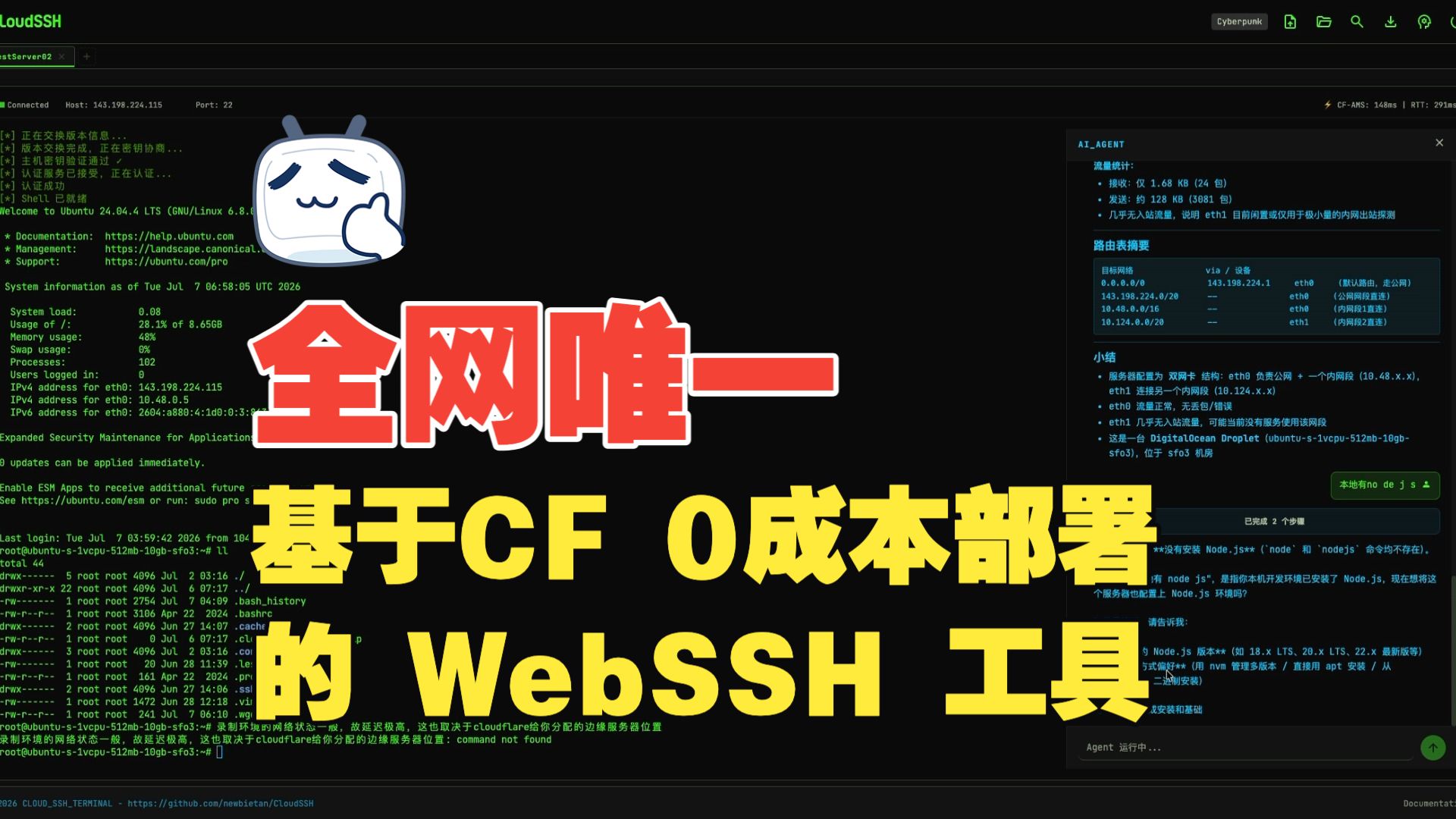

Video duration 8:27 · Full CloudSSH walkthrough
Table of Contents
Highlights
Ultimate Serverless
- Zero Server Cost: Pure frontend deployment + Cloudflare Workers, no need to build your own backend servers.
- Edge Acceleration: Benefit from Cloudflare's global edge network, enjoying low-latency SSH connections from anywhere.
Out of the Box
- One-Click Deployment: Build and deploy the project with a single command using the Wrangler CLI.
- Modern Frontend Stack: TypeScript + Vite + Tailwind CSS, paired with xterm.js to provide a silky smooth terminal experience.
Secure and Reliable
- End-to-End Encryption: Complete SSH-2.0 protocol implementation supporting Curve25519-SHA256 (preferred) and ECDH-NISTP256 key exchange, AES-256-GCM (preferred) / AES-128-GCM / AES-256-CTR data encryption, and HMAC-SHA2-256/512 integrity verification.
- Multi-Algorithm Host Key Verification: Supports Ed25519, ECDSA P-256, and RSA signature verification, with SHA-256 fingerprint display on first connection (TOFU mode).
- Security Hardening: Built-in SSRF protection against IPv6 and reserved IPs, API rate limiting (anti-brute force), and local AES-256-GCM encryption for your stored server credentials.
- Human Verification: Supports Cloudflare Turnstile verification to prevent malicious bot abuse.
- Isolated Session State: Leveraging Cloudflare Durable Objects and the Hibernation API, every terminal session runs securely and persistently within its sandbox.
- Zero Credential Exposure: One-Time-Token mechanism ensures passwords/private keys never pass through the frontend, securely flowing entirely within the Worker.
Features
- Pure TypeScript SSH-2.0 Implementation: Fully self-developed SSH protocol stack, with no dependency on any third-party SSH libraries, implementing all cryptographic operations based on Web Crypto API.
- Multi-Algorithm Key Exchange: Supports Curve25519-SHA256 (preferred) and ECDH-NISTP256 KEX algorithms, compatible with various SSH servers (including Dropbear).
- IPv4/IPv6 Dual Stack: Full support for both IPv4 and IPv6 address connections, including automatic handling of IPv6 bracket notation.
- Multiple Auth Methods: Supports standard SSH password authentication as well as Ed25519 plaintext private key authentication.
- MitM Protection (TOFU): Automatically extracts and prints the server's Host Key (SHA-256 fingerprint) on the first connection, supporting Ed25519/ECDSA/RSA signature verification, and caches known host keys locally and via API to prevent MitM on future connections.
- Geek Terminal Experience: Powered by
@xterm/xtermand the@xterm/addon-webglhardware acceleration rendering engine, ensuring silky smooth scrolling even with massive log outputs. - Customizable UI: All colors are powered by a CSS variable system, with built-in Cyberpunk, Glacier, and Gruvbox themes switchable in one click. The companion Visual Theme Editor provides live color customization with full preview areas (login page, server list, terminal + SFTP, AI Agent panel), JSON theme export, and cloud sync for logged-in users across browsers. Fully optimized for mobile devices.
- SFTP Graphical File Manager: Integrated with a complete SFTP v3 file transfer protocol, providing a graphical file browser interface. Supports directory browsing, file upload/download, creating new folders, file renaming, and deletion. Built on SSH subsystem, running in parallel with terminal sessions without interference, supporting concurrent downloads and upload cancellation.
- Native File Transfer: Integrated with trzsz.js, supporting
trz(upload) /tsz(download) commands for file transfer, fully compatible with tmux sessions. Also supports drag-and-drop file upload to the terminal, directory transfer, and resumable transfers. (Requires trzsz installed on the remote server) - GitHub OAuth Integration: Supports GitHub login, allowing users to save and manage frequently used SSH servers for one-click connections.
- Single-Page Multi-Tab Session: Switch between multiple independent SSH terminal and SFTP instances within a single browser tab, with isolated sandbox environments.
- Secure Connection History: Saves last 5 connection records locally. Credentials (passwords/private keys) can be client-side encrypted using locally derived AES-256-GCM keys.
- Dual-Segment Latency & Colo Display: Instantly and periodically monitor WebSocket RTT (client to CF), physical latency (CF to SSH host), and the current Cloudflare datacenter code (e.g.
CF-LAX) on the status bar. - In-Terminal Text Search: Real-time log search support via
Ctrl+Shift+F. - Terminal Log Export: Download the entire screen buffer of the active terminal session as a
.txtfile with a single click on the header download button, avoiding browser freezes when selecting long logs. - AI Agent Assistant: Built-in AI Agent sidebar with BYOK (Bring Your Own Key) support for OpenAI-compatible APIs (e.g., DeepSeek). Provides 8 specialized operations tools: execute commands, read terminal context, detect server environment, list processes, manage systemctl services, manage Docker containers, user confirmation, and structured report output. Supports LLM streaming output (character-by-character display). Dangerous commands are automatically blocked or require user confirmation. Thinking Process Container: During multi-step tasks, displays the latest 1-2 commands in real-time, auto-collapses with total step count after completion, expands to show full execution history.
Architecture
System Architecture
flowchart TB
    subgraph "Browser Client"
        UI["Frontend UI<br/>TypeScript + xterm.js"]
        SFTP["SFTP File Manager"]
        Agent["AI Agent Assistant"]
        Trzsz["trzsz File Transfer"]
    end

    subgraph "Cloudflare Edge Network"
        Worker["Worker<br/>Routing + API"]
        SSH_DO["SSHSessionDO<br/>SSH Session Management"]
        User_DO["UserDBDO<br/>User Data Management"]
        AgentCore["AgentCore<br/>AI Control Loop"]
    end

    subgraph "Target Server"
        SSH["SSH Server<br/>(OpenSSH/Dropbear)"]
    end

    UI <-->|"WebSocket<br/>Terminal I/O"| Worker
    SFTP <-->|"WebSocket<br/>SFTP Data"| Worker
    Agent <-->|"WebSocket<br/>Agent Messages"| Worker
    Trzsz <-->|"trzsz Protocol"| UI
    Worker <-->|"WebSocket"| SSH_DO
    Worker <-->|"Internal API"| User_DO
    SSH_DO <-->|"TCP Socket<br/>@cloudflare/sockets"| SSH
    SSH_DO <-->|"Exec Channel"| AgentCore
    AgentCore <-->|"LLM API"| External["External LLM Service"]
Core Components
| Component | File | Responsibility |
|---|---|---|
| Worker Entry | src/worker/index.ts |
HTTP routing, API handling, WebSocket upgrade |
| SSHSessionDO | src/worker/durable-object.ts |
SSH session lifecycle management, SSRF protection |
| UserDBDO | src/worker/user-db.ts |
User data, server configs, rate limiting (SQLite) |
| SSHSession | src/worker/ssh-session.ts |
SSH protocol state machine (connect→version→kex→auth→interactive) |
| SSH Protocol Stack | src/ssh/*.ts |
Pure TypeScript SSH-2.0 implementation (transport, crypto, auth, channels) |
| SFTP Handler | src/worker/sftp-handler.ts |
SFTP protocol operations, task queue, concurrent downloads, upload tracking and cancellation |
| SFTP Protocol | src/ssh/sftp.ts / sftp-types.ts |
SFTP v3 protocol client, packet parsing and type definitions |
| Frontend Terminal | frontend/src/terminal.ts |
xterm.js wrapper, dynamic RTT heartbeats, terminal search, and WebSocket management |
| Tab Manager | frontend/src/tab-manager.ts |
Single-page tab and session coordinator for independent terminals and SFTP panels |
| SFTP Panel | frontend/src/sftp-panel.ts |
Graphical file manager UI with upload/download queue and cancellation support |
| AI Agent | src/worker/agent/core.ts |
AI control loop: LLM streaming calls, tool execution, environment detection, terminal context reading |
| Agent Tools | src/worker/agent/tools.ts |
8 operations tools (execute command, terminal context, environment detection, process list, service management, Docker management, user confirmation, report output) |
| Agent Safety | src/worker/agent/safety.ts |
Two-layer security: direct blocking (rm -rf /, fork bomb, etc.) + confirmation prompts (rm, shutdown, iptables, etc.) |
| Agent Panel | frontend/src/agent/agent-panel.ts |
AI assistant sidebar UI with streaming output, Markdown rendering, collapsible thinking process container, and confirmation dialogs |
| AI Config | frontend/src/ai-config.ts |
AI model configuration modal for Base URL / API Key / model selection |
SSH Protocol Implementation
This project implements a complete SSH-2.0 protocol stack:
| Layer | Implementation | Supported Algorithms |
|---|---|---|
| Key Exchange | kex-curve25519.ts / kex-ecdh.ts |
curve25519-sha256, ecdh-sha2-nistp256 |
| Data Encryption | crypto.ts |
aes256-gcm, aes128-gcm, aes256-ctr, aes192-ctr, aes128-ctr |
| Integrity | crypto.ts |
hmac-sha2-256, hmac-sha2-512, hmac-sha1 |
| Host Keys | ssh-session.ts |
Ed25519, ECDSA P-256, RSA |
| User Auth | auth.ts |
Password authentication, Ed25519 public key authentication |
| Channel Management | channel.ts |
Session channel, SFTP subsystem, PTY, shell, window-change |
| SFTP Protocol | sftp.ts / sftp-types.ts |
SFTP v3 file transfer protocol (directory browsing, upload, download, delete, rename) |
Data Flow
- The user enters the host IP, username, and password on the frontend (or selects a saved server via GitHub OAuth).
- The frontend establishes a WebSocket connection with the backend Durable Object.
- SSHSessionDO receives the credentials and establishes a TCP connection with the target SSH server using
@cloudflare/sockets. - SSHSession executes the complete SSH protocol negotiation (version exchange → key exchange → authentication → channel open → PTY → Shell).
- Encrypted terminal data is bidirectionally forwarded between the frontend and SSH server via WebSocket.
- SFTP file management runs on a separate SSH subsystem channel, supporting directory browsing, file upload/download, and other operations.
- The AI Agent receives user messages via WebSocket, AgentCore calls the external LLM API, executes commands through SSH exec channels, and streams results back to the frontend.
Quick Deployment
Prerequisites
- A Cloudflare account.
- Node.js environment (v18+).
- Cloudflare Workers Free Plan enabled (required for TCP Sockets and Durable Objects features).
Steps
Method 1: Deploy via GitHub Integration (Recommended)

Click the button to jump to the Cloudflare console — authorize your GitHub account and deploy automatically, no local environment required
- Fork this repository to your GitHub account.
- Create Worker App: Log in to Cloudflare, go to Workers & Pages, click Create Application, connect your GitHub account, and select the forked repository.
- Build Command: During deployment settings, enter
pnpm run build:frontendas the Build command, then save and deploy. - Access the App: After successful deployment, access via the default domain
https://cloudssh.<your-subdomain>.workers.dev. - Bind Custom Domain (Optional): Go to Worker Settings → Domains & Routes → Add, enter your domain and confirm.
Note
: To deploy a test environment, repeat the above steps on the
testbranch to create a separate Worker (e.g.,cloudssh-test). The Durable Objects data between both environments is completely isolated.
Method 2: Local CLI Deployment
-
Clone the Repository
git clone https://github.com/newbietan/CloudSSH.git cd CloudSSH -
Install Dependencies
npm install -g pnpm pnpm install cd frontend && pnpm install -
Login to Cloudflare
npx wrangler login -
Deploy Production
pnpm run deploy -
Deploy Test Environment (Optional)
pnpm run deploy:test
| Environment | Command | Default Domain | Description |
|---|---|---|---|
| Production | pnpm run deploy |
cloudssh.<subdomain>.workers.dev |
main branch code |
| Test | pnpm run deploy:test |
cloudssh-test.<subdomain>.workers.dev |
test branch code, DO data isolated from production |
Note
: Both environments bind to Durable Objects with the same
class_name, but data is completely isolated due to different Worker names. After deployment, you can bind different custom domains for each environment in the Cloudflare Dashboard (Settings → Domains & Routes).
Optional: Configure Turnstile Human Verification
To prevent malicious bot abuse, it is recommended to enable Cloudflare Turnstile verification:
- Create Turnstile Widget: Log in to Cloudflare Dashboard, go to the Turnstile page and create a new Widget.
- Get Keys: After creation, you will receive a Site Key (public) and a Secret Key (private).
- Configure Environment Variables: In the Cloudflare Dashboard Workers settings, go to "Settings" → "Variables and Secrets", add the following environment variables:
TURNSTILE_SECRET= your Secret KeyTURNSTILE_SITEKEY= your Site Key
- Redeploy: Run the deployment command to apply the configuration.
Environment Variable Type Recommendation: It is recommended to set all environment variables as Secret type. Secrets are stored in Cloudflare's encrypted storage, separate from code deployments, and will not be overwritten or lost during redeployments. When adding variables in the Dashboard, simply select the "Secret" type.
Note
: Turnstile verification is session-level. After verification, all features are available for the current session. Closing the browser will require re-verification.
Optional: Configure GitHub OAuth Login & Server Management
With GitHub OAuth enabled, users can log in with their GitHub account and save/manage their frequently used SSH servers in a personal dashboard for one-click connections. When not configured, this feature is automatically hidden and does not affect the anonymous SSH connection functionality.
-
Create a GitHub OAuth App:
- Go to GitHub → Settings → Developer settings → OAuth Apps → New OAuth App
- Application name:
CloudSSH(customizable) - Homepage URL:
https://your-domain.com(your deployed domain) - Authorization callback URL:
https://your-domain.com/api/auth/callback - After creation, note the Client ID, then click Generate a new client secret to get the Client Secret (shown only once, save it immediately)
-
Configure Environment Variables: In the Cloudflare Dashboard Workers settings, go to "Settings" → "Variables and Secrets", add the following environment variables:
GITHUB_CLIENT_ID= your Client IDBASE_URL=https://your-domain.com(your deployed domain)GITHUB_CLIENT_SECRET= your Client Secret
-
Redeploy: If you just added the variables and are enabling the feature for the first time, you must delete the old deployment and redeploy to initialize the database.
Environment Variable Type Recommendation: It is recommended to set all environment variables as Secret type. Secrets are stored in Cloudflare's encrypted storage, separate from code deployments, and will not be overwritten or lost during redeployments. When adding variables in the Dashboard, simply select the "Secret" type.
Note
: Server credentials (passwords/private keys) are encrypted with AES-256-GCM before storage. The encryption key is automatically generated on first use and securely stored in the database. During connection, credentials never pass through the frontend — they are securely transmitted via a one-time-token mechanism.
Important
: Enabling this feature for the first time requires a clean deployment (delete the old Worker first, then redeploy) to initialize the new Durable Object. Use
npx wrangler delete cloudsshto remove the old Worker, then runpnpm run deployto redeploy.
Development
Project Structure
This project uses pnpm monorepo workspace structure:
CloudSSH/
├── src/                    # Backend source (Cloudflare Worker)
│   ├── ssh/                # SSH protocol pure implementation layer
│   └── worker/             # Worker entry and Durable Objects
├── frontend/               # Frontend source (independent workspace)
│   └── src/                # TypeScript + xterm.js + trzsz
├── docs/                   # GitHub Pages static assets
│   └── theme-editor/       # Visual theme editor
├── scripts/                # Build scripts
├── pnpm-workspace.yaml     # pnpm workspace configuration
└── wrangler.toml           # Cloudflare deployment configuration
Local Development
Environment Setup
-
Fork and Clone the Repository
git clone https://github.com/<your-username>/CloudSSH.git cd CloudSSH -
Install Dependencies (root and frontend separately)
pnpm install cd frontend && pnpm install -
Login to Cloudflare (required on first run, credentials are cached afterward)
npx wrangler loginNote
: When using Wrangler Dev for local development, it connects to your Cloudflare account to access Durable Objects and TCP Sockets. Real SSH TCP traffic is forwarded through Cloudflare's infrastructure.
-
Configure GitHub Actions (Optional, for automatic deployment)
If you want to deploy to your own Cloudflare account via GitHub Actions, modify the repository owner in
.github/workflows/deploy.yml:if: github.repository_owner == 'your-github-username'Also configure the following Secrets in your repository Settings → Secrets and variables → Actions:
CLOUDFLARE_API_TOKEN: Your Cloudflare API TokenCLOUDFLARE_ACCOUNT_ID: Your Cloudflare Account ID
Start Development Server
pnpm run dev
This command builds the frontend and starts the Wrangler local development environment, supporting:
- Automatic rebuild on frontend code changes
- Automatic reload on Worker code changes
- Full Durable Objects and TCP Sockets functionality
After the dev server starts, visit the local address shown in the terminal (usually http://localhost:8787) to start debugging.
Common Development Commands
| Command | Description |
|---|---|
pnpm run dev |
Build frontend + start Wrangler dev server |
pnpm run build:frontend |
Build frontend only (output to frontend/dist/) |
pnpm test |
Run tests |
Submitting Changes
Do NOT create feature branches. All changes must be committed directly to the test branch to keep the repository clean.
test branch (dev/test) ──merge──> main branch (production)
- Switch to the
testbranch:git checkout test - Pull the latest code:
git pull origin test - Develop and test locally
- Commit and push directly:
git push origin test - After testing passes, the maintainer will merge
testintomain
Note
: The
mainbranch has protection rules that prevent direct pushes. All changes must be committed to thetestbranch first. Do NOT createfeat/xxx,fix/xxxor any other feature branches — commit directly totest.
Tech Stack
| Layer | Technology | Description |
|---|---|---|
| Frontend | TypeScript + Vite + xterm.js | Web terminal emulator, WebGL hardware acceleration |
| UI Framework | Tailwind CSS (CDN) + CSS Variable Theme System | Switchable built-in themes, custom JSON theme import with cloud sync |
| File Transfer | trzsz.js | Supports trz/tsz commands, drag-and-drop upload, resumable transfers |
| AI Assistant | BYOK + OpenAI-compatible API | Bring your own API key, supports DeepSeek and other compatible models |
| Backend | Cloudflare Workers | Serverless edge computing |
| Session Management | Durable Objects | SSH session isolation, Hibernation API |
| Data Storage | Durable Objects SQLite | User data, server configurations |
| Package Manager | pnpm (workspace) | Monorepo dependency management |
License
This project is open-sourced under the Apache License 2.0.
Special Notice: Commercial use and modifications are permitted, but you must clearly attribute the original author.
Issues and Pull Requests are welcome to help build the community. If you find this project helpful, please consider giving it a ⭐ Star. Thank you very much for your support!