
83 lines
4.1 KiB
Markdown
83 lines
4.1 KiB
Markdown
<p align="center"><img src="https://raw.githubusercontent.com/bowenliang123/dsh-context/main/docs/social-preview.png" width="840" alt="Social preview"></p>
|
||
|
||
# dsh-context
|
||
|
||
[](https://www.npmjs.com/package/dsh-context)
|
||
[](https://github.com/bowenliang123/dsh-context)
|
||
|
||
**The best [DeepSeek Harness plugin](https://www.deepseek.com/harness/) for Agent's context insights and management.**
|
||
|
||
`dsh-context` provides full context lifecycle management features.
|
||
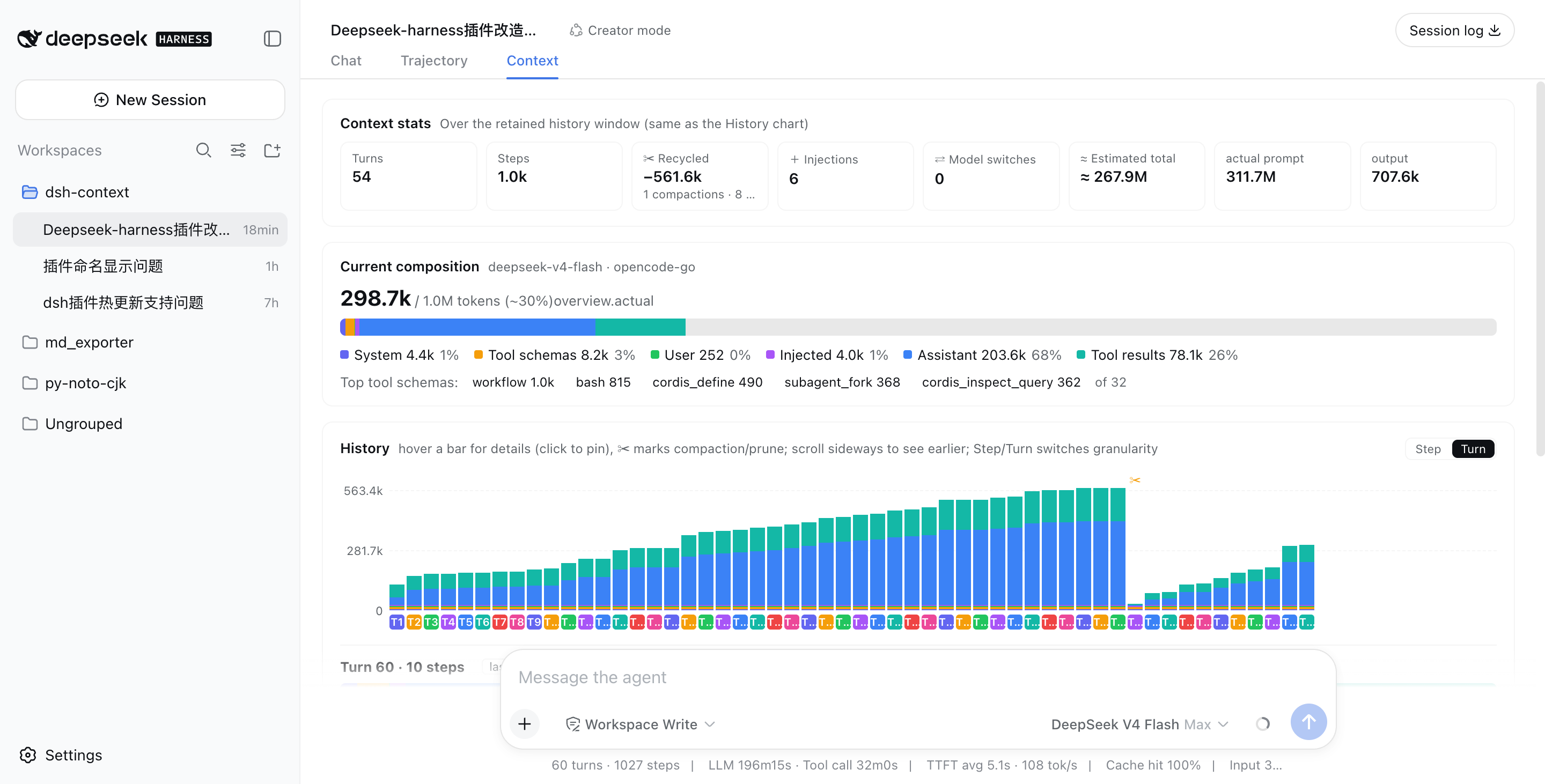
- **Context tab** — an UI context dashboard for DeepSeek Harness’s context stats, composition, history, events, and messages.
|
||
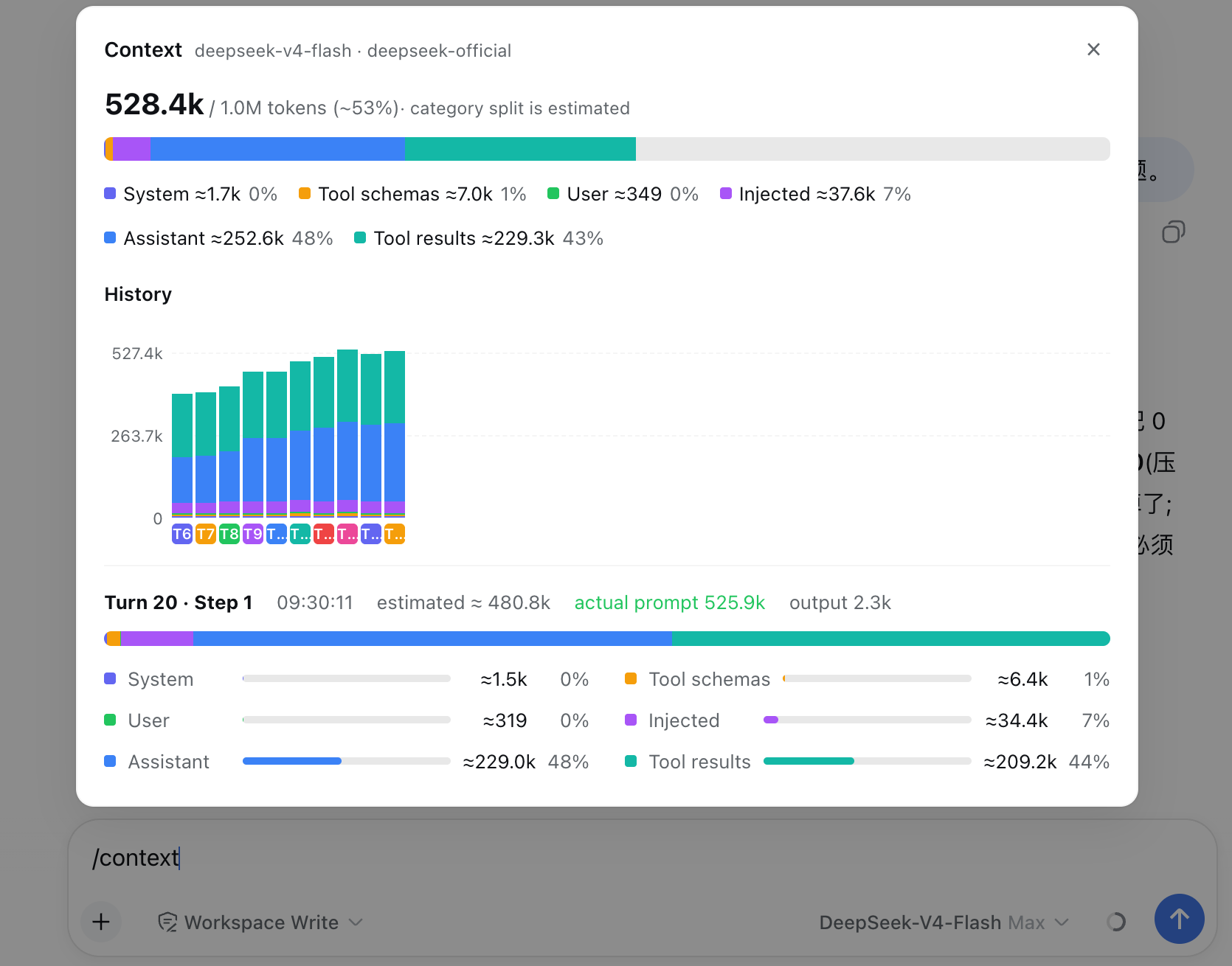
- **`/context` command** — the slash command shows the context model for current context composition and recent context evolution.
|
||
|
||
## Install / Update
|
||
|
||
To Install from any DeepSeek Harness installation:
|
||
|
||
```sh
|
||
dsh plugin --profile web add dsh-context
|
||
```
|
||
|
||
Or to update the `dsh-context` plugin:
|
||
|
||
```sh
|
||
dsh plugin --profile web update dsh-context@latest
|
||
```
|
||
|
||
Then start the web UI with `dsh web`. No build step, no restart.
|
||
|
||
## Use it
|
||
|
||
### Context tab
|
||
|
||
Open any session and click the **Context / 上下文** tab:
|
||
|
||
|
||
|
||
### ⌨️ `/context` command — In-session Context Insight modal
|
||
|
||
Type `/context` (or pick it from the `/` menu) and press Enter: a centered dialog shows the provider-anchored occupancy headline, the six-category composition bar, and the last-10-turn trend chart — hover or click a bar for its full breakdown, exactly like the tab.
|
||
|
||
|
||
|
||
## What you'll see
|
||
|
||
### 📊 Context stats — the session at a glance
|
||
|
||
Turns, steps, how many injections, compactions, and prunes have happened.
|
||
|
||
### 🧱 Current composition — what's in the window right now
|
||
|
||
A six-color stacked bar scaled against the model's full context window (the gray track is your remaining headroom): system prompt, tool schemas, your messages, injected context, assistant replies, and tool results — plus the top-5 most expensive tool schemas. When a conversation starts degrading, this is where you find out *which part ate the budget*.
|
||
|
||
### 📈 History — watch the window grow (and get compacted)
|
||
|
||
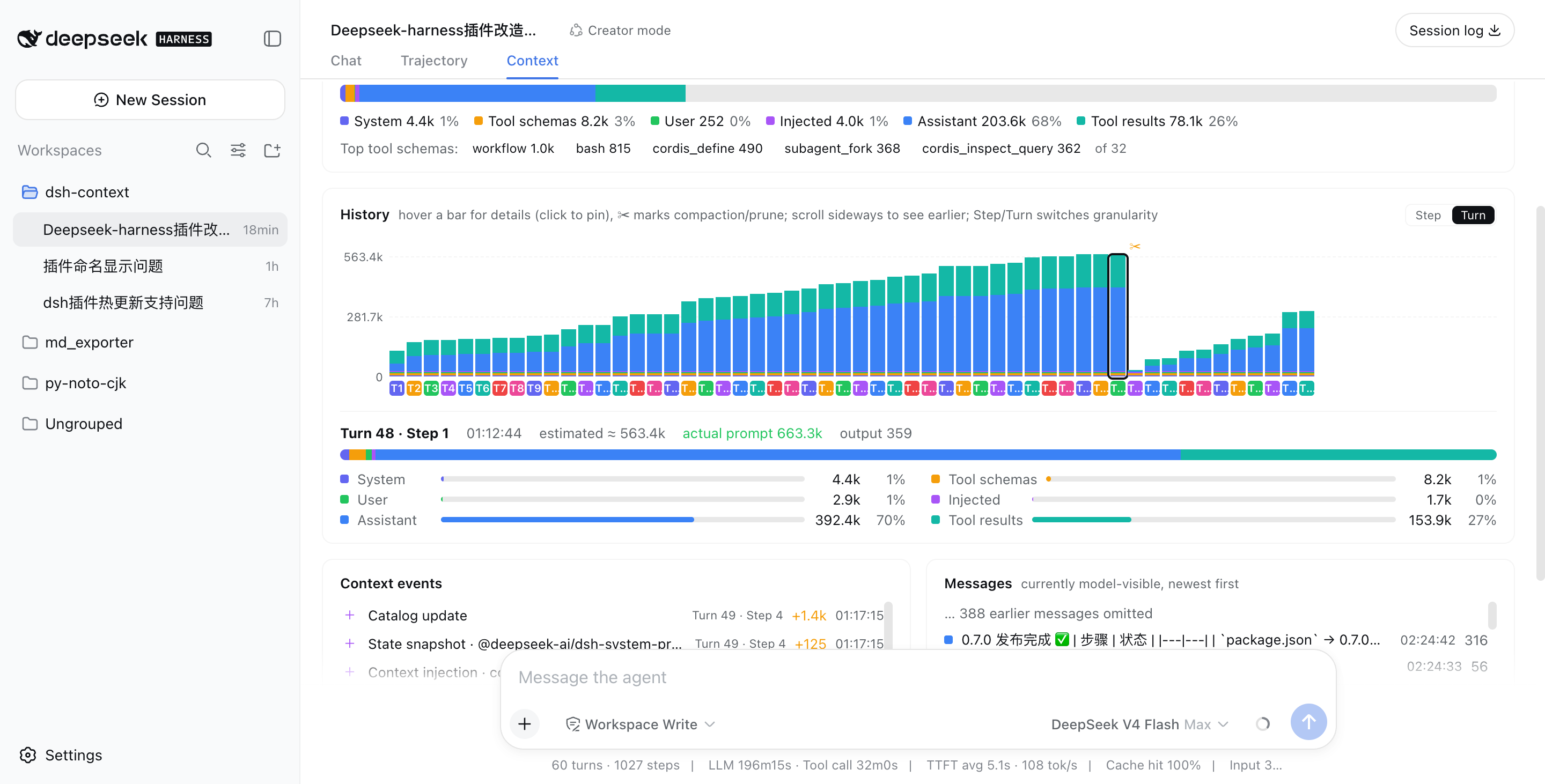
One stacked bar per model request, finer than per-message. Toggle between **Turn** and **Step** granularity, scroll sideways through the session, hover any bar for a quick tooltip, and click to pin the full breakdown — including provider-reported actual prompt/output tokens next to the estimate. **✂ marks where compaction or pruning happened** — watch the bars drop:
|
||
|
||
|
||
|
||
Above: a real session that grew to ~563k tokens across 48 turns, then compaction (✂) recycled −535.5k in one step, and the conversation continued from a fresh, small window.
|
||
|
||
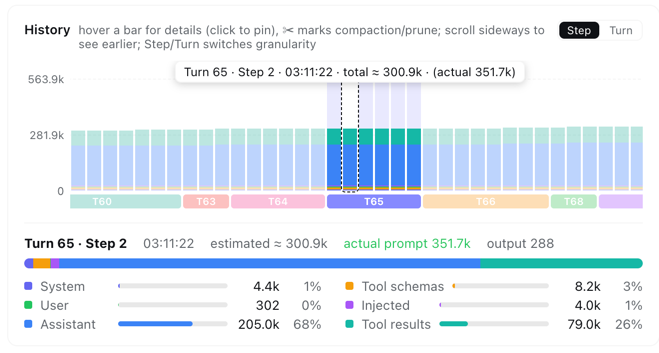
In **Step** granularity, hovering any bar shows that single step's context info instantly — its turn/step, timestamp, and estimated vs. provider-reported token counts:
|
||
|
||
|
||
|
||
### ⚡ Context events — when and why the window changed
|
||
|
||
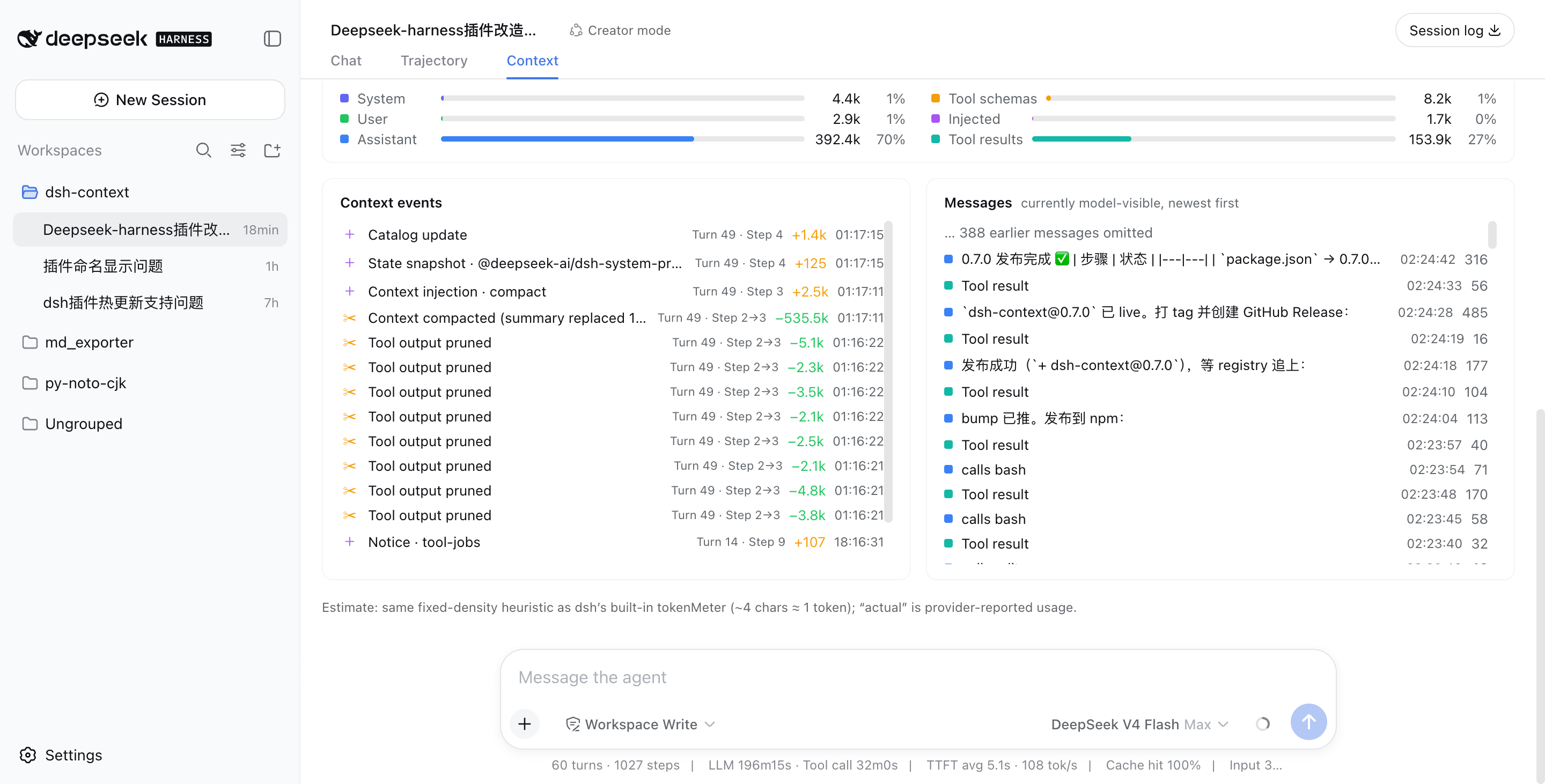
Every compaction, tool-output prune, skill or plugin context injection, and model switch — each with its token delta, turn/step attribution, and timestamp:
|
||
|
||
|
||
|
||
### 💬 Messages — the currently model-visible surface
|
||
|
||
The exact message list the model sees right now, newest first, with a per-message token cost.
|
||
|
||
## Like it?
|
||
|
||
If `dsh-context` helped you understand what your agent is carrying around, a ⭐ on [GitHub](https://github.com/bowenliang123/dsh-context) is much appreciated — and issues/PRs are welcome!
|
||
|
||
## License
|
||
|
||
[Apache-2.0](https://www.apache.org/licenses/LICENSE-2.0)
|