 bowenliang123
bf4cdd1e58
Typing /context in the composer opens a centered dialog with the current
composition (provider-anchored headline, stacked bar, legend) and the
last-10-turn trend chart — the same pushed contextTimeline projection the
tab renders, no RPC, no polling.

The command is the plugin's own '/' trigger source, fully client-side:
no host descriptor, no session log records, nothing model-visible. The
composer token is consumed only when the modal closes (deferred
slash/input-consume-token with span / bare-token guards, fail-soft if the
draft changed meanwhile). Esc, backdrop click, and the close button all
close it and restore composer focus.

Also extracts the provider-anchored headline derivation shared by the tab
and the modal (headline.ts).
dsh-context


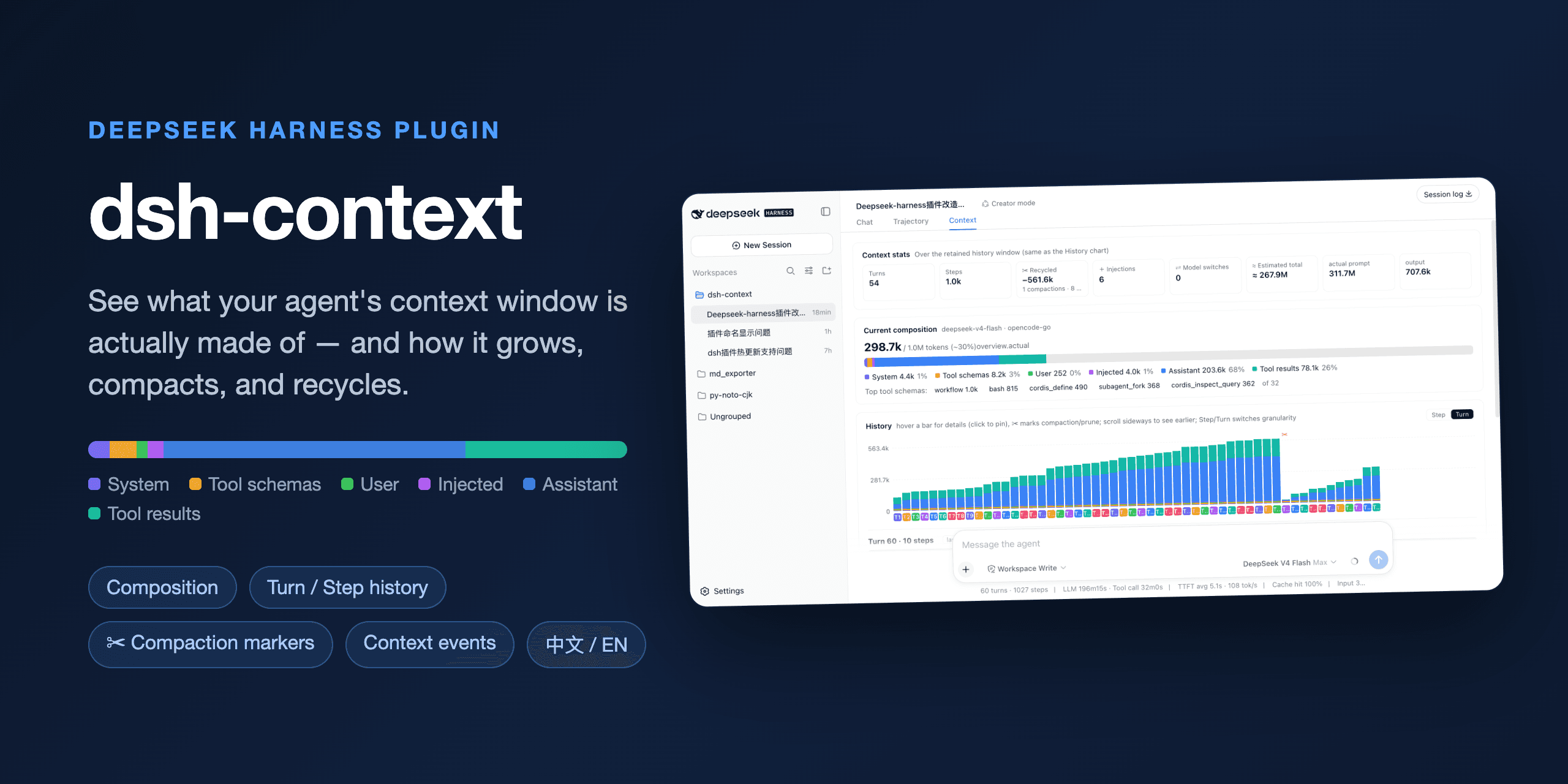
See what your DeepSeek Harness agent's context window is actually made of and how it evolves.
dsh-context is a DeepSeek Harness plugin that adds a Context Insight panel to the web UI: a live, visual answer to "what is the model carrying right now, and how did it get there?" — context composition, per-request history, compactions, and injections, all in one place.
Install
One command, from any DeepSeek Harness installation:
dsh plugin --profile web add dsh-context
Then start the web UI with dsh web, open any session, and click the 上下文 / Context tab. No build step, no restart.
What you'll see
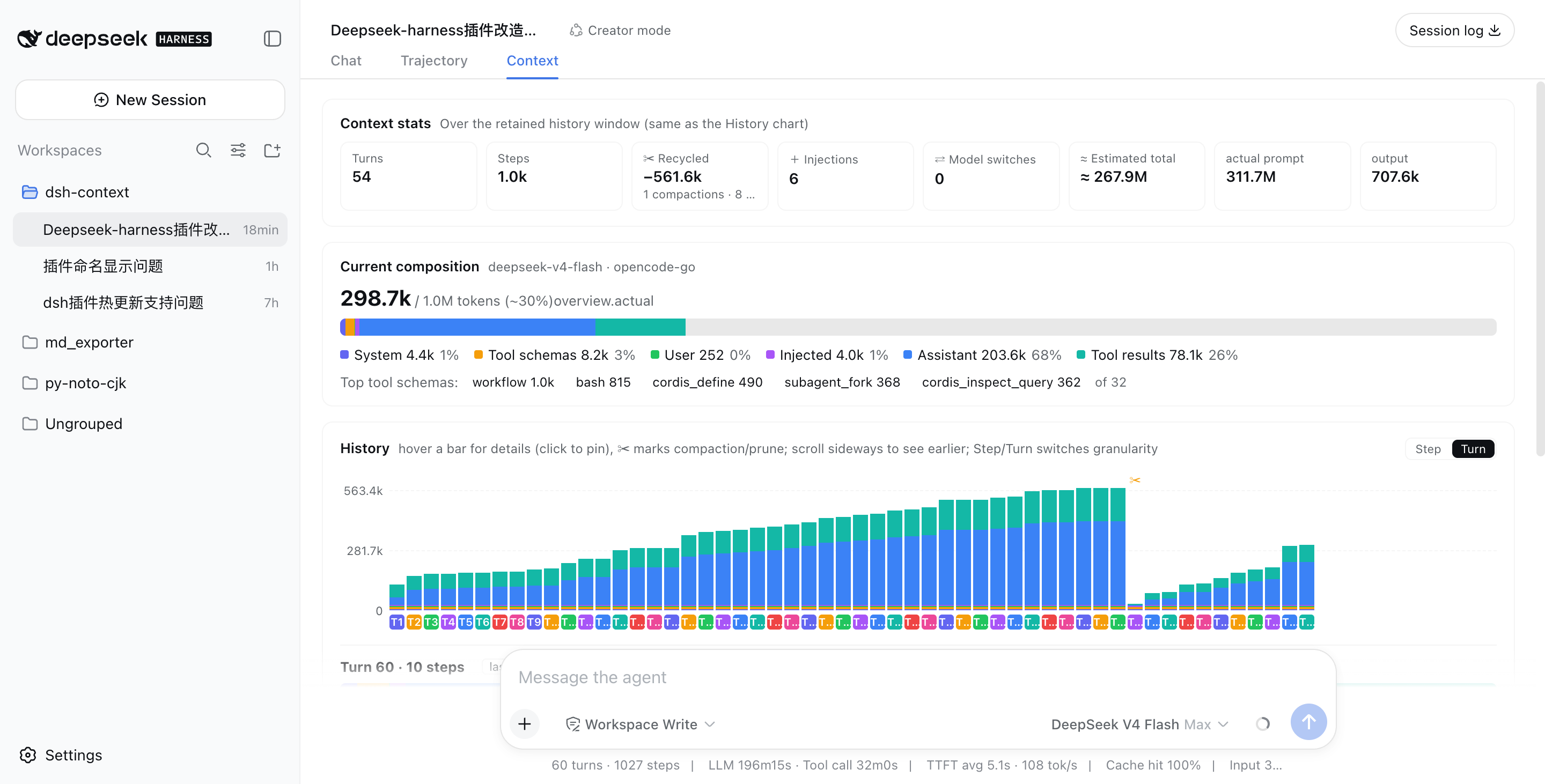
📊 Context stats — the session at a glance
Turns, steps, how much context has been recycled by compactions and prunes, how many injections happened, model switches, and the estimated total tokens sent — next to the provider-reported actuals, so you can see how the estimate holds up.
🧱 Current composition — what's in the window right now
A six-color stacked bar scaled against the model's full context window (the gray track is your remaining headroom): system prompt, tool schemas, your messages, injected context, assistant replies, and tool results — plus the top-5 most expensive tool schemas. When a conversation starts degrading, this is where you find out which part ate the budget.
📈 History — watch the window grow (and get compacted)
One stacked bar per model request, finer than per-message. Toggle between Turn and Step granularity, scroll sideways through the session, hover any bar for a quick tooltip, and click to pin the full breakdown — including provider-reported actual prompt/output tokens next to the estimate. ✂ marks where compaction or pruning happened — watch the bars drop:
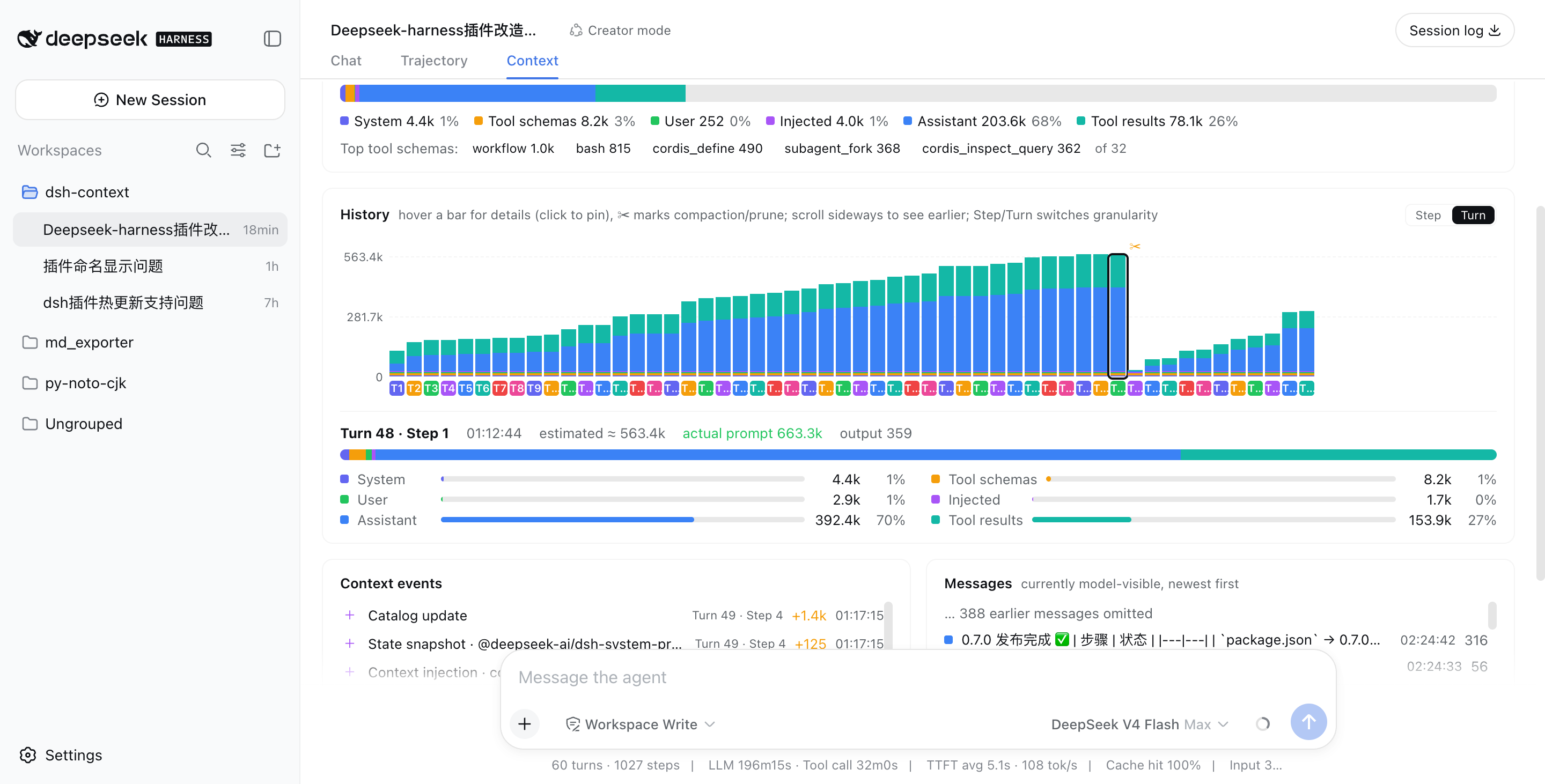
Above: a real session that grew to ~563k tokens across 48 turns, then compaction (✂) recycled −535.5k in one step, and the conversation continued from a fresh, small window.
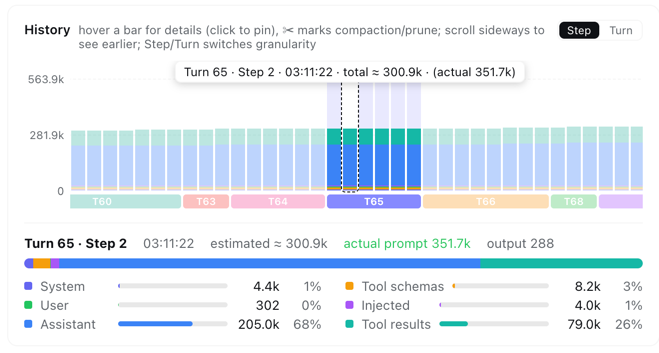
In Step granularity, hovering any bar shows that single step's context info instantly — its turn/step, timestamp, and estimated vs. provider-reported token counts:
⚡ Context events — when and why the window changed
Every compaction, tool-output prune, skill or plugin context injection, and model switch — each with its token delta, turn/step attribution, and timestamp:
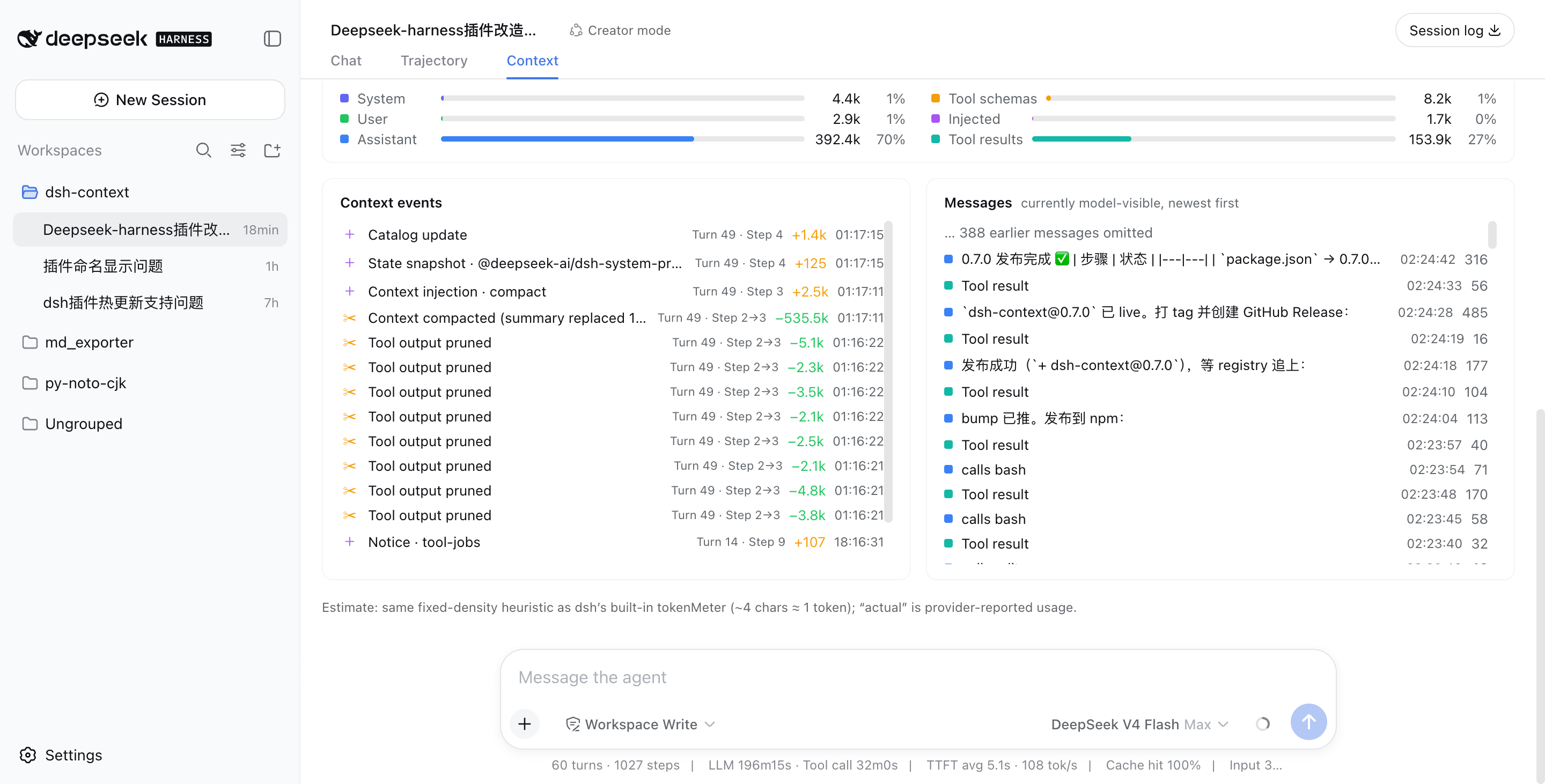
💬 Messages — the currently model-visible surface
The exact message list the model sees right now, newest first, with a per-message token cost.
Like it?
If dsh-context helped you understand what your agent is carrying around, a ⭐ on GitHub is much appreciated — and issues/PRs are welcome!