
117 lines
4.6 KiB
Markdown
117 lines
4.6 KiB
Markdown
## Email receiving tutorial
|
||
|
||
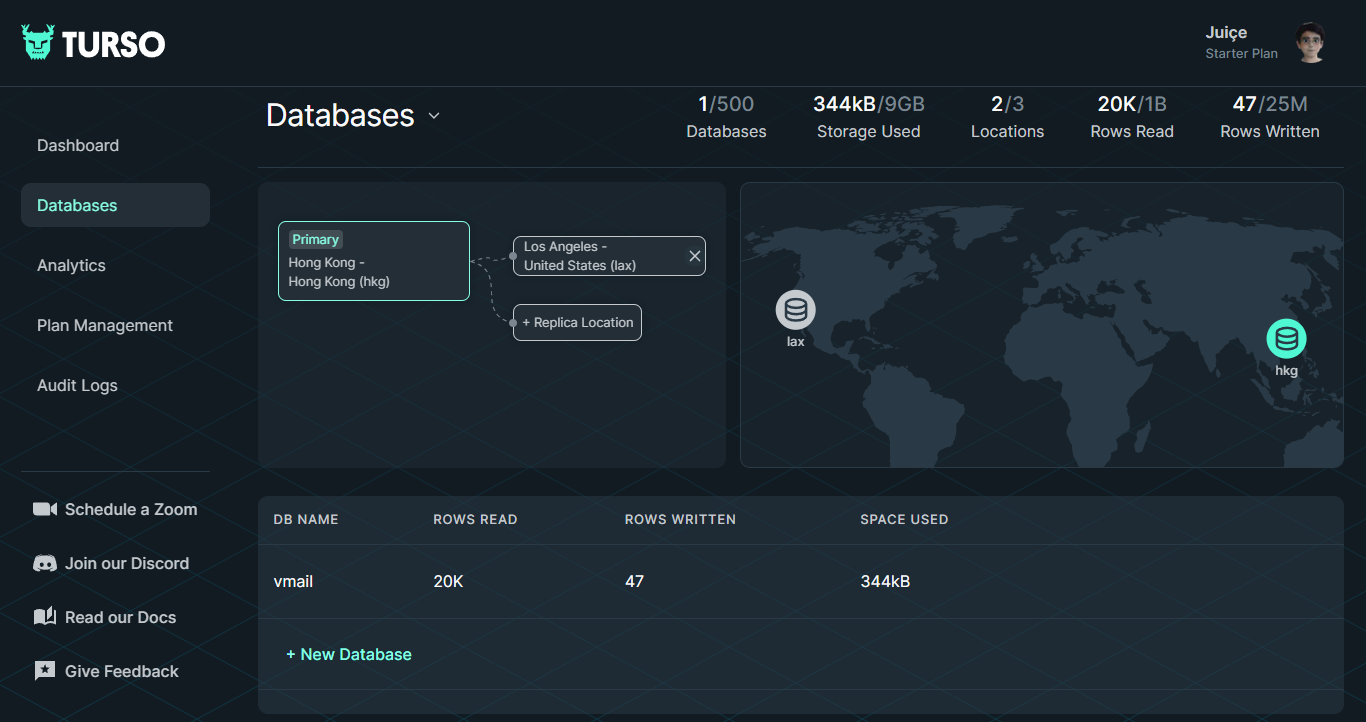
**1.Register a [turso](https://turso.tech) account, create a database, and create an emails table**
|
||
|
||
After registration, you will be prompted to create a database. I named it `vmail` here,
|
||
|
||
|
||
|
||
Select your database, you will see the "Edit Table" button, click and enter, continue to click the "SQL Runner" button in the upper left corner, and insert the [SQL Script](https://github.com/oiov/vmail/blob/main/packages/database/drizzle/0000_sturdy_arclight.sql) Copy to Terminal Run:
|
||
|
||
```bash
|
||
# Copy sql script to run on the terminal (packages/database/drizzle/0000_sturdy_arclight.sql)
|
||
CREATE TABLE `emails` (
|
||
`id` text PRIMARY KEY NOT NULL,
|
||
`message_from` text NOT NULL,
|
||
`message_to` text NOT NULL,
|
||
`headers` text NOT NULL,
|
||
`from` text NOT NULL,
|
||
`sender` text,
|
||
`reply_to` text,
|
||
`delivered_to` text,
|
||
`return_path` text,
|
||
`to` text,
|
||
`cc` text,
|
||
`bcc` text,
|
||
`subject` text,
|
||
`message_id` text NOT NULL,
|
||
`in_reply_to` text,
|
||
`references` text,
|
||
`date` text,
|
||
`html` text,
|
||
`text` text,
|
||
`created_at` integer NOT NULL,
|
||
`updated_at` integer NOT NULL
|
||
);
|
||
```
|
||
|
||
**2.Deploy email workers**
|
||
|
||
```bash
|
||
git clone https://github.com/oiov/vmail
|
||
|
||
cd vmail
|
||
|
||
# Install dependencies
|
||
pnpm install
|
||
```
|
||
|
||
Fill in the necessary environment variables in `vmail/apps/email-worker/wrangler.toml` file.
|
||
|
||
- TURSO_DB_AUTH_TOKEN (turso table info from step 1,click `Generate Token`)
|
||
- TURSO_DB_URL (e.g. libsql://db-name.turso.io)
|
||
- EMAIL_DOMAIN (e.g. vmail.dev)
|
||
|
||
> If you don't do this step, you can add environment variables in the worker settings of Cloudflare
|
||
|
||
Then run cmds:
|
||
|
||
```bash
|
||
cd apps/email-worker
|
||
|
||
# Node environment required, and your need to install wrangler cli and login first, see https://developers.cloudflare.com/workers/wrangler/install-and-update
|
||
pnpm run deploy
|
||
```
|
||
|
||
**3.Configure email routing rules**
|
||
|
||
Set `Catch-all` action to Send to Worker
|
||
|
||

|
||
|
||
**4.Deploy Remix app on Vercel or fly.io**
|
||
|
||
Ensure that the following environment variables (`.env.example`) are prepared and filled in during deployment:
|
||
|
||
| Variable | Description | example |
|
||
| ---------------------- | ------------------------------------------------------------------ | -------------------------------------- |
|
||
| COOKIES_SECRET | The encryption secret of the cookie, a random string is sufficient | `s3cr3t` |
|
||
| TURSO_DB_RO_AUTH_TOKEN | Obtain database credentials from turso | `eyJhbGciOiJIUzI1NiIsInR5cCI6IkpXVCJ9` |
|
||
| TURSO_DB_URL | Obtain database credentials from turso | `libsql://db-name.turso.io` |
|
||
| EMAIL_DOMAIN | email domains | `vmail.dev,meetu.dev` |
|
||
| EXPIRY_TIME | Optional. default `86400` | `86400` |
|
||
| TURNSTILE_KEY | Optional. Obtained from Cloudflare for website verification | `1234567890` |
|
||
| TURNSTILE_SECRET | Optional. Obtained from Cloudflare for website verification | `s3cr3t` |
|
||
|
||
Get `TURNSTILE_KEY`、`TURNSTILE_SECRET` from https://dash.cloudflare.com/?to=/:account/turnstile
|
||
|
||
**For Vercel:**
|
||
|
||
Deploy your own version of email to Vercel with one click:
|
||
|
||
[](https://vercel.com/new/clone?repository-url=https%3A%2F%2Fgithub.com%2Foiov%2Fvmail&env=COOKIES_SECRET&env=TURNSTILE_KEY&env=TURNSTILE_SECRET&env=TURSO_DB_RO_AUTH_TOKEN&env=TURSO_DB_URL&env=EMAIL_DOMAIN&project-name=vmail&repository-name=vmail)
|
||
|
||
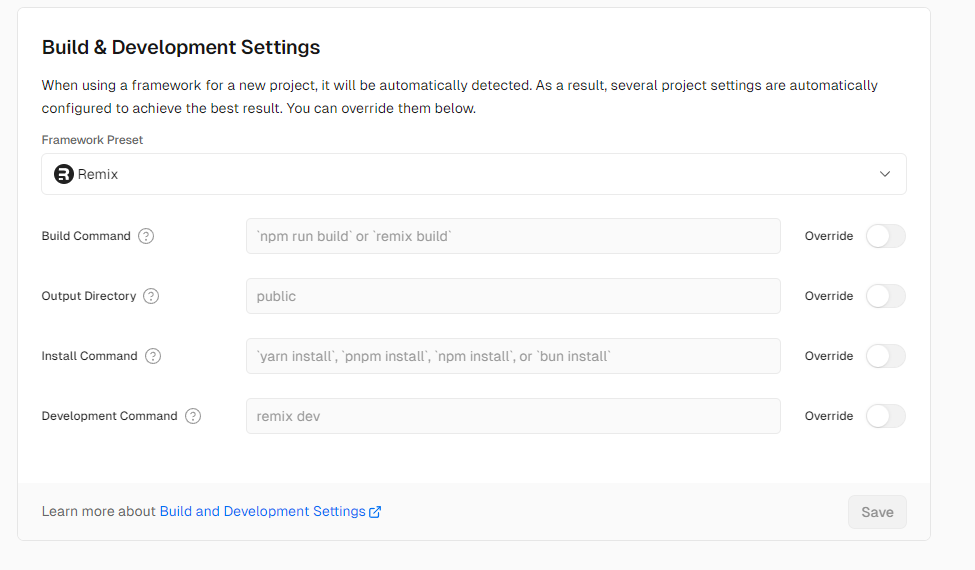
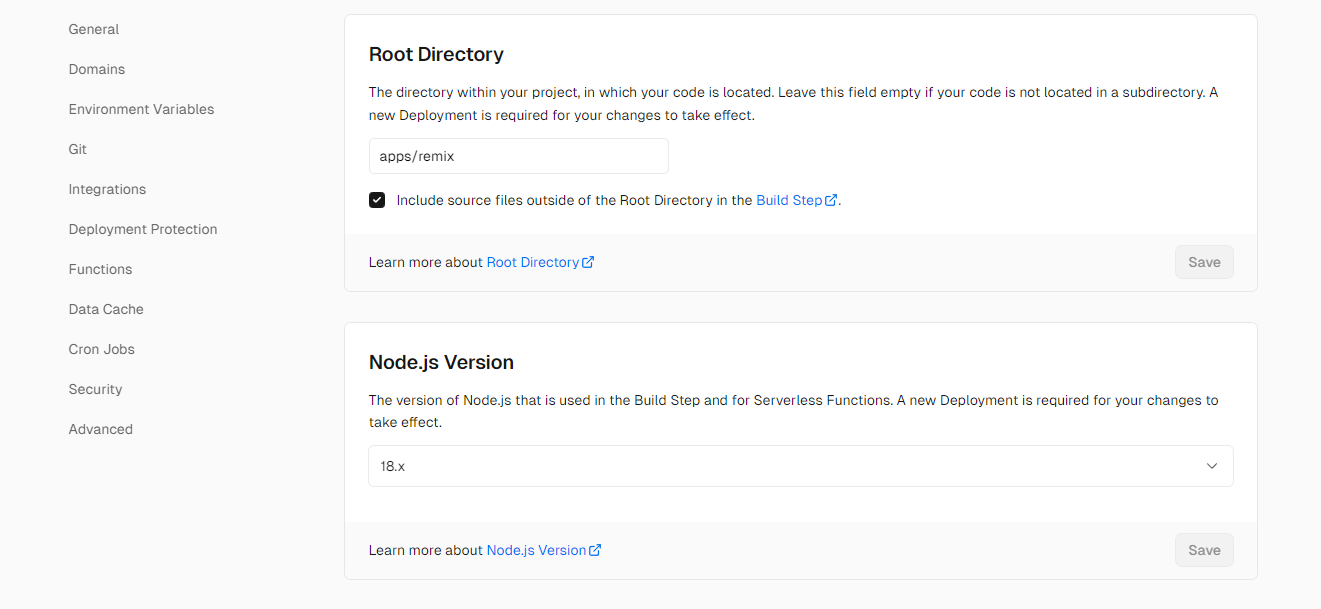
Or push the code to your Github repository and create a new project in Vercel. Choose `New project`, then import the corresponding Github repository, fill in the environment variables, select the `Remix` framework, and click `Deploy`. Wait for the deployment to complete.
|
||
|
||
Click Couninue to Dashboard -> Settings -> General:
|
||
|
||
|
||
|
||
|
||
**For fly.io:**
|
||
|
||
```bash
|
||
cd vmail/apps/remix
|
||
fly launch
|
||
```
|
||
|
||
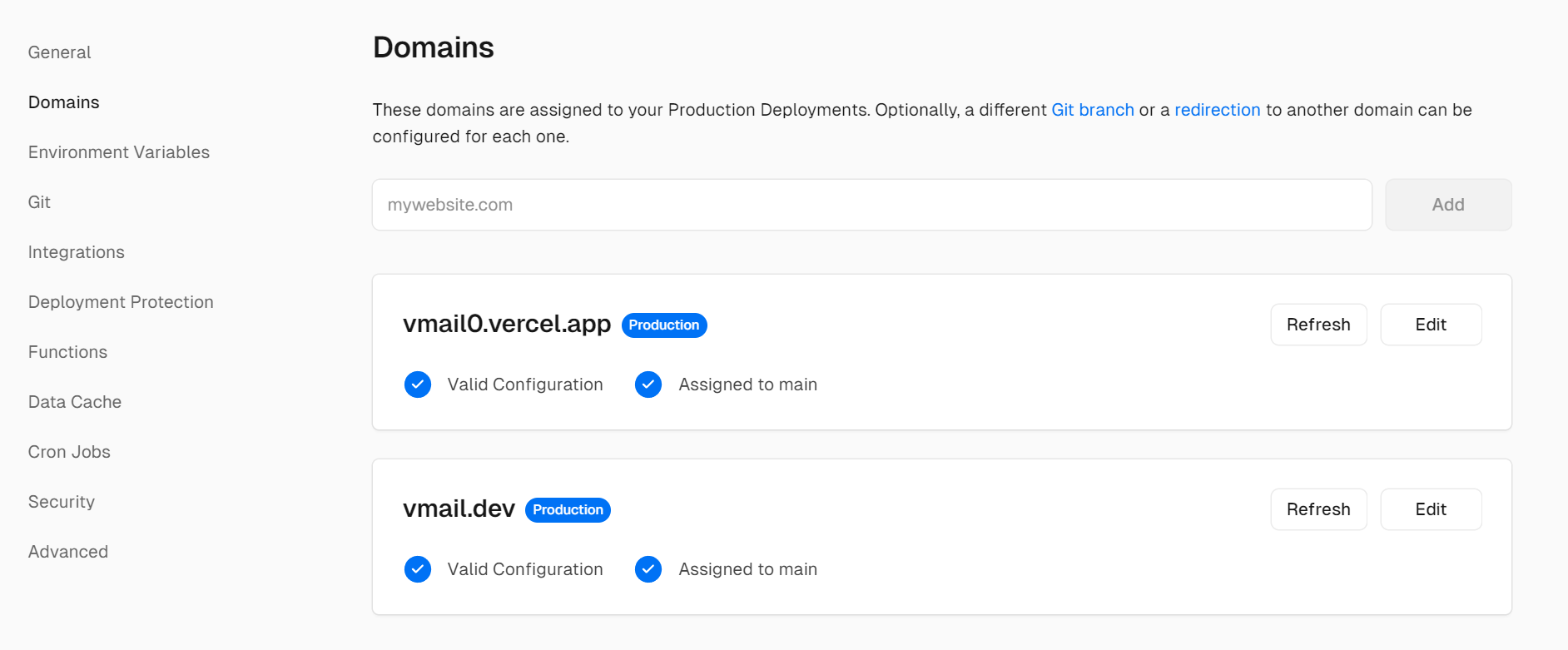
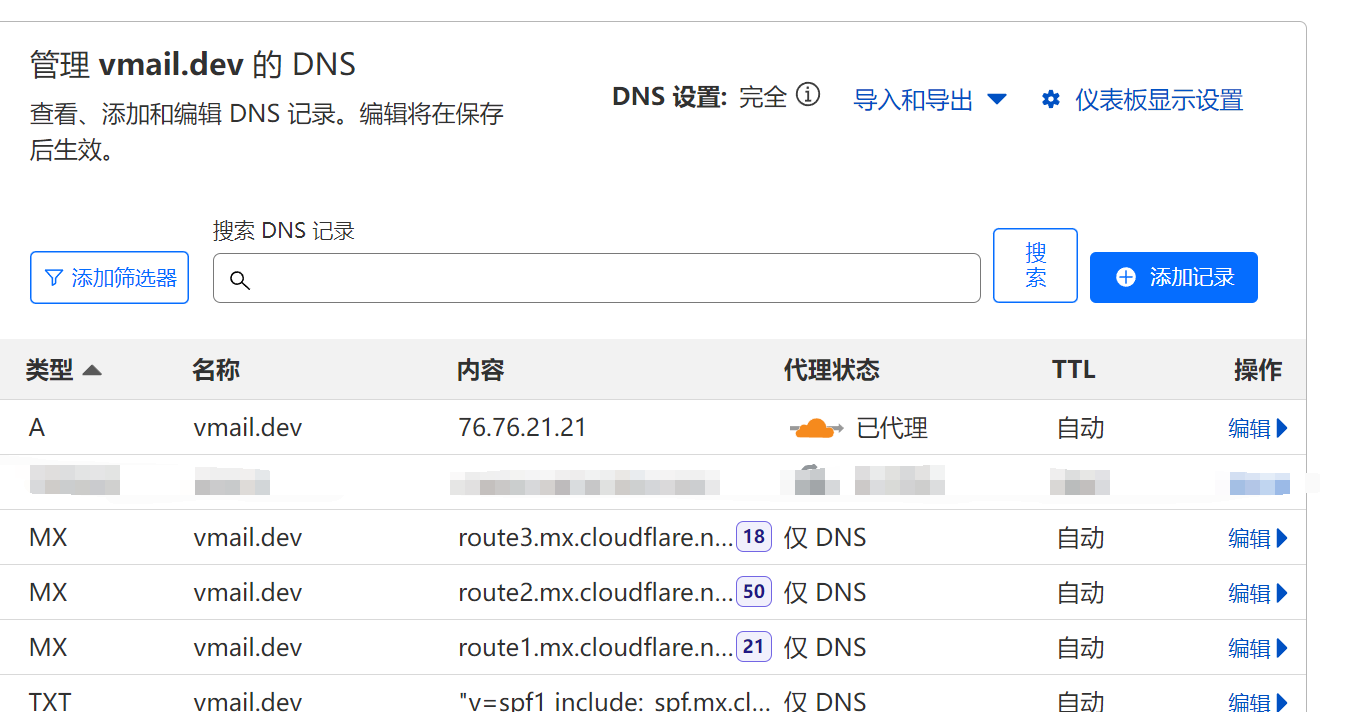
**5.Add DNS records (A record) to the corresponding platform in Cloudflare**
|
||
|
||
e.g. vercel:
|
||
|
||
|
||
|
||
|
||
|
||
Done!
|